
Paste a YouTube link into Speak AI and it fetches the video, transcribes it, and runs the same insights and AI Chat you get on any other file. You do not need to download anything first.
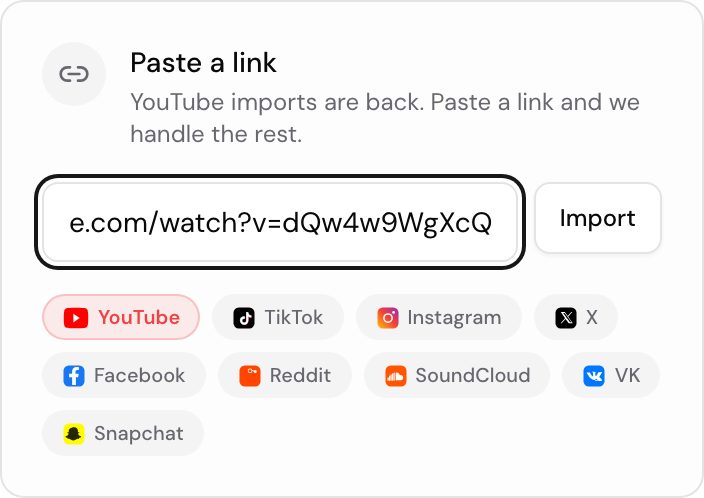
Import a video from a link
- Open your Speak AI dashboard and go to the upload page.
- Find the Paste a link panel beside the drop zone.
- Paste the YouTube URL.
- Select Import.
Speak AI fetches the media and starts transcription automatically, the same as any other upload. See Uploads for the rest of the routes into your library.
Other links you can import
The same Paste a link panel accepts:
- YouTube
- TikTok
- X
- SoundCloud
- Twitch
- Dailymotion
- Streamable
- Snapchat
- Tumblr
- Bilibili
- VK
- OK.ru
- Rutube
A link that is not on this list will not import. Upload the file yourself instead, which is covered in Uploads.
Vimeo and Loom links are not accepted here. To bring Vimeo videos in, connect your account with the Vimeo integration, or list the links in a CSV import.
Size limit on link imports
A file pulled in from a link has to be 200 MB or smaller. That cap applies to link imports only. Files you upload directly get the larger limits described in File formats and Duration and size.
If a video is over the cap, download it and upload the file yourself. Saving just the audio as MP3 or M4A is usually enough to get under 200 MB, and the transcript is identical.
Questions? Reach us at success@speakai.co.
Security or procurement question? Talk to us.
Related: Uploads · CSV import