
Get audio, video, and text into Speak AI three ways. Whichever you use, the file transcribes and analyzes automatically the moment it arrives.
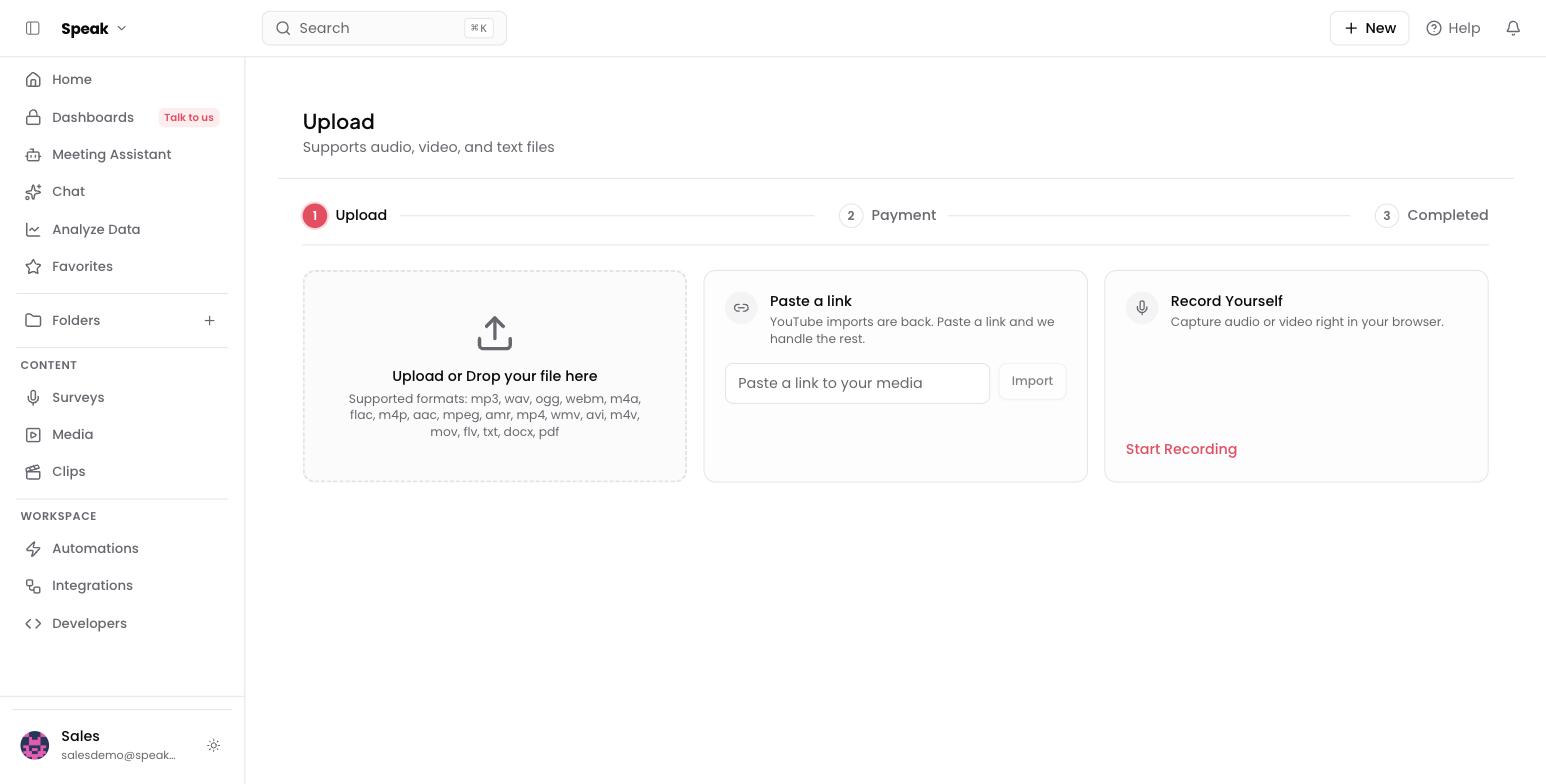
- Upload a file: drag and drop, or browse. MP3, WAV, M4A, FLAC and most audio; MP4, MOV, AVI and most video; TXT, DOCX and PDF documents.
- Paste a link: a direct media URL, imported and transcribed for you.
- Record yourself: capture audio or video right in the browser, no install.
Upload a file
- Open Upload from the + New menu, or drag files onto the drop zone.
- Add one file or many. Each becomes its own item in your library.
- Processing starts immediately; a typical file is ready in a few minutes.
Unusual format? Convert to MP3 or MP4 first. The full list is on File formats, and if something still won’t go through, Upload errors sorts it by symptom.
Paste a link
Paste a media URL or a direct file link into the Paste a link panel and select Import. Speak AI fetches, transcribes, and analyzes it like any upload. YouTube links work here too: see YouTube import for the full list of supported sources and the size cap.
Record in the browser
Select Start Recording to capture audio or video on the spot. Recording elsewhere first? The mobile app records on the go, the desktop app records meetings and your screen on a Mac, and the embeddable recorder collects recordings from other people.
Bringing in a lot at once?
- CSV import adds many files or text notes in one pass
- Zapier sends files automatically from Google Drive, Zoom, or Slack
- The API uploads programmatically
Moving a whole team’s library in? Book a free consult and we’ll plan the migration with you.
Related: File formats · Duration limits · Text notes · In-app recording