
The recorder runs inside an iframe, so you can put it on any page and keep visitors on your own site. This page covers the iframe itself, the query parameters that change what it shows, and the postMessage commands that let your own buttons drive it.
You can try any of it against a live recorder on the embed tester.
Add the iframe to your page
Paste the iframe where you want the recorder to appear, and replace YOUR_TOKEN_HERE with the token from the embed code on your recorder’s share step.
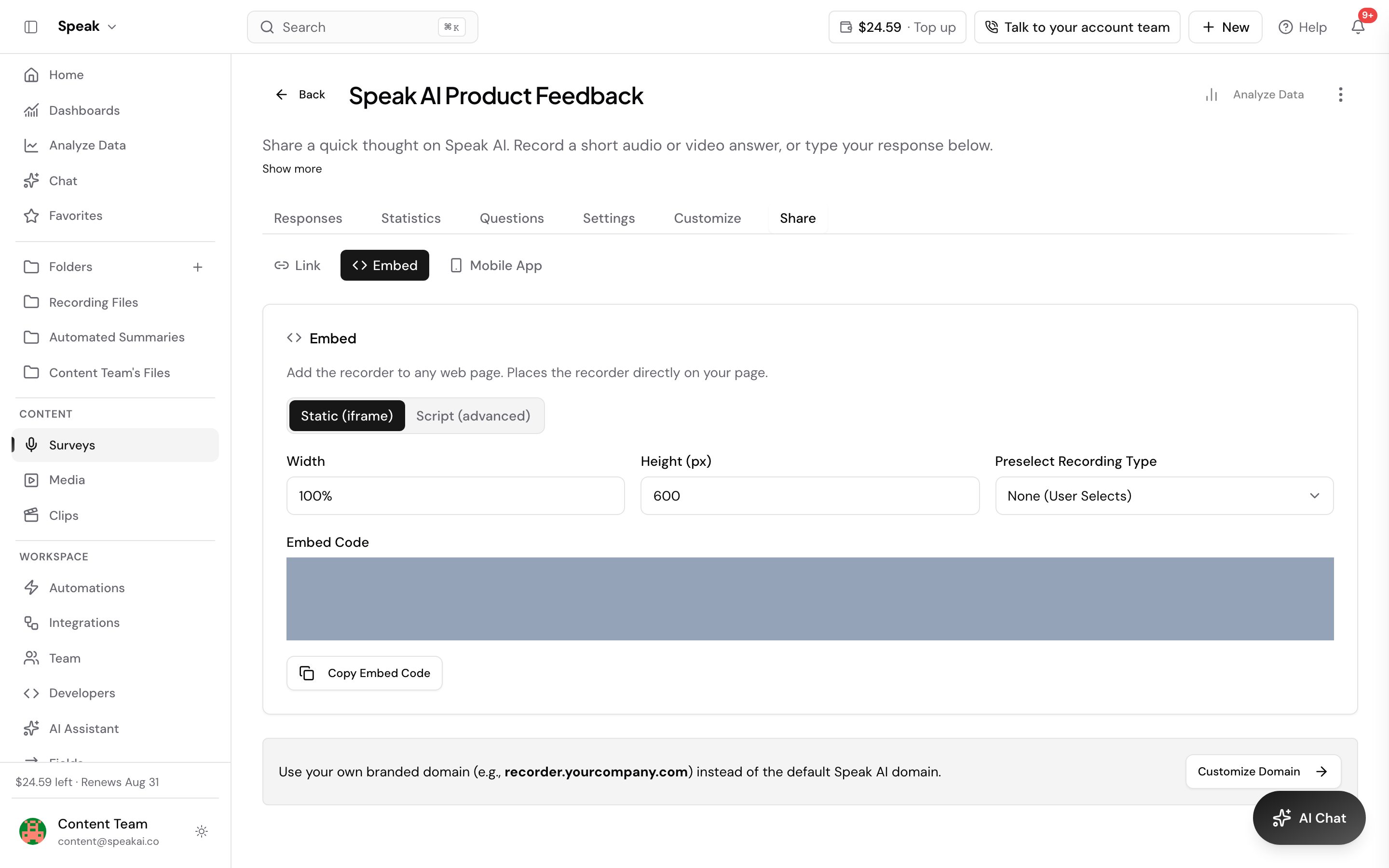
<iframe
  src="https://recorder.speakai.co/iframe/YOUR_TOKEN_HERE"
  allow="microphone; camera"
  width="100%"
  height="700px">
</iframe>
Keep the allow attribute. Without it the browser blocks the recorder from reaching the microphone and camera, and recording never starts. Give the frame enough height, around 700px, so your questions and the record button both fit without scrolling.
Site builders that strip the permissions
Site builders such as Wix and Webflow rewrite the iframes they render and drop the allow attribute. The recorder loads, but it cannot reach the microphone or camera in any browser. Add this script at the end of the body to put the permissions back on every iframe on the page, including iframes the builder injects after load.
<script>
    function addPermissions(iframe) {
        const ALLOW_PERMISSIONS = 'camera; microphone; fullscreen; display-capture';
        if (iframe.allow === ALLOW_PERMISSIONS) { return }
        iframe.setAttribute('allow', ALLOW_PERMISSIONS)
        iframe.allow = ALLOW_PERMISSIONS
        iframe.src = iframe.src
    }

    document.querySelectorAll('iframe').forEach(addPermissions);

    const observer = new MutationObserver((mutationsList, observer) => {
        for (let mutation of mutationsList) {
            if (mutation.addedNodes && mutation.addedNodes.length) {
                for (let node of mutation.addedNodes) {
                    if (node.querySelectorAll) {
               node.querySelectorAll('iframe').forEach(addPermissions)
                    }
                }
            }
        }
    })
    observer.observe(document.body, { attributes: false, childList: true, subtree: true })
</script>
Where the script goes in Wix
Go to Settings and scroll to Advanced, the last section, where you will find Custom Code. Add the script under the body - END option. Wix then asks whether to apply it to all pages or only specific ones.
Change what the recorder shows
Add query parameters to the iframe src to hide parts of the interface, preselect a recording type, or prefill answers.
<iframe
  src="https://recorder.speakai.co/iframe/YOUR_TOKEN_HERE?hideWaveform=true&hideTitle=true&submitLabel=Send"
  allow="microphone; camera"
  width="100%"
  height="700px">
</iframe>| Parameter | Type | Default | Description |
|---|---|---|---|
| hideWaveform | boolean | false | Hide the audio waveform |
| hideTitle | boolean | false | Hide the title and header text |
| submitLabel | string | “Upload” | Set the submit button text |
| hideSubmit | boolean | false | Hide the submit button |
| hideLiveTranscriptionRecording | boolean | false | Hide the live transcript while the person records. The transcript still appears on the review screen, and it has no effect unless the recorder has Live Transcription on |
| preselect | string | none | Preselect the recording type: audio, video, upload or screenshare |
| name | string | “” | Prefill the name field |
| string | “” | Prefill the email field | |
| folderId | string | “” | Prefill the folder ID |
| field1 to field10 | string | “” | Prefill the answers to your custom questions, up to 10 |
| isDownload | boolean | false | Let the respondent download their own recording |
| redirectUrl | string | “” | Send the respondent to this URL once the recording is submitted |
| screenShareMic | boolean | true | Start a screen share with the microphone off, so only the shared screen’s own audio is recorded. The respondent can switch it back on |
The same parameters work on a shared recorder link, not only the iframe: put them after
https://recorder.speakai.co/your-custom-url.
Join parameters with &, and URL encode any value that contains a space or a symbol.
?hideWaveform=true&hideTitle=true&submitLabel=Complete
?preselect=video
?name=John%20Doe&email=john.doe@example.com
?folderId=123456
?field1=Answer%201&field2=Answer%202
Record a screen share without the microphone
A screen share records the microphone alongside the shared screen by default, which is what a narrated walkthrough needs. When you are capturing a broadcast, a webinar or a video playing in a tab, the room around the person should stay out of the recording, so add screenShareMic=false to the recorder URL:
?preselect=screenshare&screenShareMic=falseThe respondent still sees an Include my microphone checkbox on the screen share step and can turn it back on before they start. The parameter only decides which way the checkbox starts.
With the microphone off, the shared screen has to carry sound of its own. In Chrome that means sharing a browser tab and turning on Also share tab audio in the picker. If the share arrives with no audio, the recorder stops before it starts rather than saving a silent take, and it says why:
No sound came with the share. Choose a browser tab and turn on "Also share tab audio", then try again.Start and stop recording from your own buttons
Send a command to the iframe with postMessage and listen for the reply on the parent window.
// Get iframe reference
const iframe = document.querySelector('iframe');

// Start recording
iframe.contentWindow.postMessage({ action: 'start' }, 'https://recorder.speakai.co');

// Stop recording
iframe.contentWindow.postMessage({ action: 'stop' }, 'https://recorder.speakai.co');

// Listen for responses
window.addEventListener('message', (event) => {
  if (event.origin !== 'https://recorder.speakai.co') return;
  const response = JSON.parse(event.data);
  console.log('Response:', response);
});
Send commands from the page the recorder is embedded on, or from a page further up if you wrap the recorder in your own iframe. The recorder ignores a message from any other window.
The commands you can send
A command takes an action, and any other fields you attach are ignored.
| Action | What it does |
|---|---|
| start | Start recording |
| stop | Stop recording and show the review screen |
| pause | Pause a recording that is in progress |
| resume | Resume a paused recording |
| submit | Submit the finished recording, which is the only way to submit when you hide the submit button with hideSubmit=true |
| getState | Ask for the recorder state once |
| subscribeState | Ask the recorder to report its state every time it changes |
The recorder replies with a success or an error message, both stamped with source: 'speak-embed-recorder' so you can tell them apart from other traffic on the page.
// Success
{
  source: 'speak-embed-recorder',
  status: 'success',
  message: 'Recording started',
  timestamp: '2025-10-09T10:30:00.000Z',
  data: { action: 'start' }
}

// Error
{
  source: 'speak-embed-recorder',
  status: 'error',
  message: 'Recording already in progress',
  timestamp: '2025-10-09T10:30:00.000Z'
}
The recorder rejects a command that does not fit what it is doing, and the message says why:
Recording already in progressfor a secondstartNo recording in progressfor astop,pauseorresumewith nothing runningRecording must be at least 30 seconds, carrying the minimum length you set, when astoparrives too earlyNo finished recording to submitfor asubmitwith nothing on the review screenUnknown action: playfor anything it does not recognize
Read the recorder state
Send getState for a single answer, or subscribeState to have the recorder report itself every time something changes. Both come back as a recordingState event, and the answer to getState also carries action: 'getState' in its data.
{
  source: 'speak-embed-recorder',
  status: 'success',
  message: 'Recorder state',
  timestamp: '2026-08-20T10:30:00.000Z',
  data: {
    event: 'recordingState',
    state: {
      isRecordingInitiated: true,
      isRecording: true,
      isPaused: false,
      currentTime: 42,
      minDuration: 10,
      hasUnsubmittedRecording: false,
      isSubmitting: false,
      isStopping: false
    }
  }
}| Field | Meaning |
|---|---|
| isRecordingInitiated | Setup is finished and the recorder is ready to start |
| isRecording | A recording is in progress, whether it is running or paused |
| isPaused | The recording in progress is paused |
| currentTime | How long the current recording has run, in seconds |
| minDuration | The minimum recording length you set, in seconds |
| hasUnsubmittedRecording | A finished recording is waiting to be submitted |
| isSubmitting | An upload is in flight |
| isStopping | The recording is being finalized right now |
Watch hasUnsubmittedRecording and isSubmitting before you hide or remove the iframe. Removing it while either is true loses the recording the respondent just made.
Put the two together and your page can carry its own controls while the recorder handles capture and upload.
<div class="recording-controls">
  <button onclick="startRecording()">Start</button>
  <button onclick="stopRecording()">Stop</button>
  <div id="status">Ready</div>
</div>

<iframe id="recorder" src="https://recorder.speakai.co/iframe/TOKEN" allow="microphone; camera"></iframe>

<script>
const iframe = document.getElementById('recorder');
const status = document.getElementById('status');

function startRecording() {
  iframe.contentWindow.postMessage({action: 'start'}, 'https://recorder.speakai.co');
  status.textContent = 'Recording...';
}

function stopRecording() {
  iframe.contentWindow.postMessage({action: 'stop'}, 'https://recorder.speakai.co');
  status.textContent = 'Stopped';
}

window.addEventListener('message', (e) => {
  const response = JSON.parse(e.data);
  if (response.status === 'error') {
    status.textContent = 'Error: ' + response.message;
  }
});
</script>
Always check event.origin before you trust a message, and send commands to https://recorder.speakai.co rather than *.
Embed in React, Vue or Angular
The pattern is the same in every framework: render the iframe, add the message listener when the component mounts, and remove it when the component unmounts.
React
import { useEffect, useRef } from 'react';

function RecorderEmbed({ token }) {
  const iframeRef = useRef(null);

  useEffect(() => {
    const handleMessage = (event) => {
      if (event.origin !== 'https://recorder.speakai.co') return;
      const response = JSON.parse(event.data);
      console.log('Recorder:', response);
    };

    window.addEventListener('message', handleMessage);
    return () => window.removeEventListener('message', handleMessage);
  }, []);

  const startRecording = () => {
    iframeRef.current?.contentWindow.postMessage({ action: 'start' }, 'https://recorder.speakai.co');
  };

  const stopRecording = () => {
    iframeRef.current?.contentWindow.postMessage({ action: 'stop' }, 'https://recorder.speakai.co');
  };

  return (
    <div>
      <div>
        <button onClick={startRecording}>Start</button>
        <button onClick={stopRecording}>Stop</button>
      </div>
      <iframe
        ref={iframeRef}
        src={`https://recorder.speakai.co/iframe/${token}?hideWaveform=true`}
        allow="microphone; camera"
        style={{ width: '100%', height: '700px', border: 'none' }}
      />
    </div>
  );
}
Vue
<template>
  <div>
    <div>
      <button @click="startRecording">Start</button>
      <button @click="stopRecording">Stop</button>
    </div>
    <iframe
      ref="recorder"
      :src="iframeUrl"
      allow="microphone; camera"
      style="width: 100%; height: 700px; border: none"
    />
  </div>
</template>

<script>
export default {
  props: ['token'],
  computed: {
    iframeUrl() {
      return `https://recorder.speakai.co/iframe/${this.token}?hideWaveform=true`;
    }
  },
  mounted() {
    window.addEventListener('message', this.handleMessage);
  },
  beforeUnmount() {
    window.removeEventListener('message', this.handleMessage);
  },
  methods: {
    handleMessage(event) {
      if (event.origin !== 'https://recorder.speakai.co') return;
      const response = JSON.parse(event.data);
      console.log('Recorder:', response);
    },
    startRecording() {
      this.$refs.recorder.contentWindow.postMessage(
        { action: 'start' },
        'https://recorder.speakai.co'
      );
    },
    stopRecording() {
      this.$refs.recorder.contentWindow.postMessage(
        { action: 'stop' },
        'https://recorder.speakai.co'
      );
    }
  }
}
</script>
Angular
import { Component, ElementRef, ViewChild, OnInit, OnDestroy } from '@angular/core';

@Component({
  selector: 'app-recorder',
  template: `
    <div>
      <button (click)="startRecording()">Start</button>
      <button (click)="stopRecording()">Stop</button>
    </div>
    <iframe
      #recorder
      [src]="iframeUrl"
      allow="microphone; camera"
      style="width: 100%; height: 700px; border: none">
    </iframe>
  `
})
export class RecorderComponent implements OnInit, OnDestroy {
  @ViewChild('recorder') iframeElement: ElementRef;
  iframeUrl = 'https://recorder.speakai.co/iframe/TOKEN?hideWaveform=true';

  ngOnInit() {
    window.addEventListener('message', this.handleMessage);
  }

  ngOnDestroy() {
    window.removeEventListener('message', this.handleMessage);
  }

  handleMessage = (event: MessageEvent) => {
    if (event.origin !== 'https://recorder.speakai.co') return;
    const response = JSON.parse(event.data);
    console.log('Recorder:', response);
  };

  startRecording() {
    const iframe = this.iframeElement.nativeElement as HTMLIFrameElement;
    iframe.contentWindow.postMessage({ action: 'start' }, 'https://recorder.speakai.co');
  }

  stopRecording() {
    const iframe = this.iframeElement.nativeElement as HTMLIFrameElement;
    iframe.contentWindow.postMessage({ action: 'stop' }, 'https://recorder.speakai.co');
  }
}
If the embed does not work
Open the browser console first. Most problems show up there as a permissions error, a blocked frame, or a script that never ran.
The iframe does not load
const iframe = document.querySelector('iframe');
console.log('Iframe loaded:', iframe.contentWindow !== null);

iframe.addEventListener('load', () => {
  console.log('Iframe loaded successfully');
});
postMessage does nothing
const iframe = document.querySelector('iframe');

console.log('Iframe found:', iframe !== null);
console.log('ContentWindow:', iframe.contentWindow);

function sendDebugMessage(action) {
  console.log('Sending:', action);
  iframe.contentWindow.postMessage({ action: action }, 'https://recorder.speakai.co');
  console.log('Message sent');
}

sendDebugMessage('start');
Parameters are ignored
const iframe = document.querySelector('iframe');
console.log('Iframe src:', iframe.src);

const url = new URL(iframe.src);
console.log('hideWaveform:', url.searchParams.get('hideWaveform'));
console.log('hideTitle:', url.searchParams.get('hideTitle'));
console.log('submitLabel:', url.searchParams.get('submitLabel'));
If the recorder loads but the microphone stays silent, the permission is the usual cause. See Microphone and camera permissions. Still stuck? Send us the page URL at success@speakai.co.
Evaluating Speak AI for a team? Book a demo and see your own recordings analyzed.
Related: Embeddable recorder · Browser support