
Upload any recording and Speak AI transcribes it automatically: 135 languages and regional variants , speakers separated and labeled, timestamps on every line. A typical file is ready in about half its own length, so a one-hour meeting is readable in about thirty minutes.
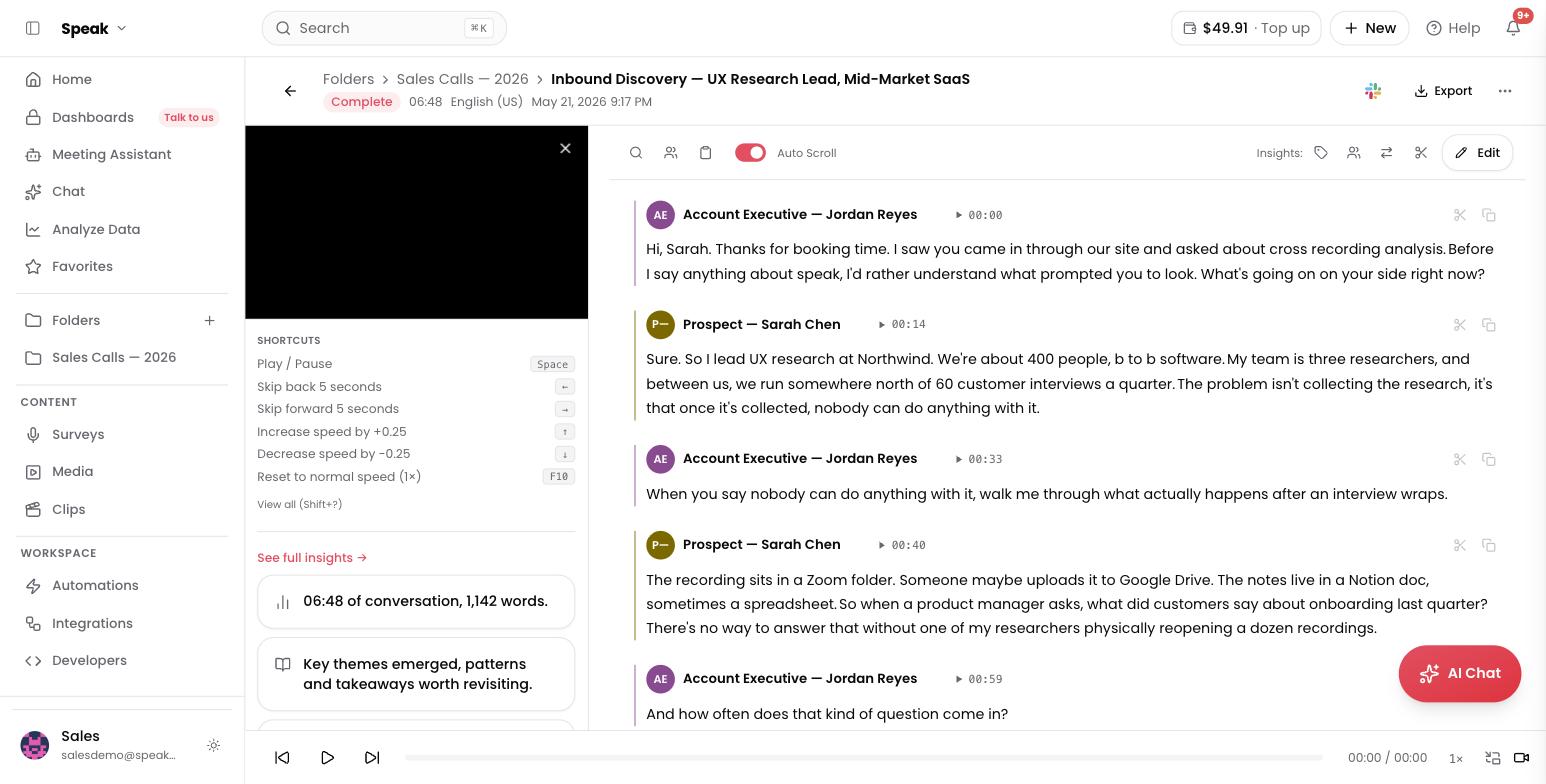
- Speakers identified for you. Each voice becomes its own labeled paragraph you can rename once and apply everywhere. How speaker identification works
- Accuracy you can improve. Clear audio transcribes at 95 percent or better, and custom vocabulary teaches Speak AI your names and jargon.
- Translation built in. Translate any finished transcript into 111 languages. Translation
- Editing that saves back. Fix wording, speakers, and timestamps in the transcript editor.
After the transcript
Transcription is the start, not the product. The same file automatically gets insights: keywords, sentiment, and entities, and answers questions in AI Chat. When automated isn’t enough, order human transcription on the same file.
Common questions
How long does it take? About half the file’s duration for a typical recording: Processing times.
What if it picked the wrong language? Set the language at upload or re-transcribe: Fix a transcript in the wrong language.
Evaluating transcription quality for a team? Book a demo and see your own recordings analyzed.
Related: Accuracy · Supported languages · Uploads · Processing times