
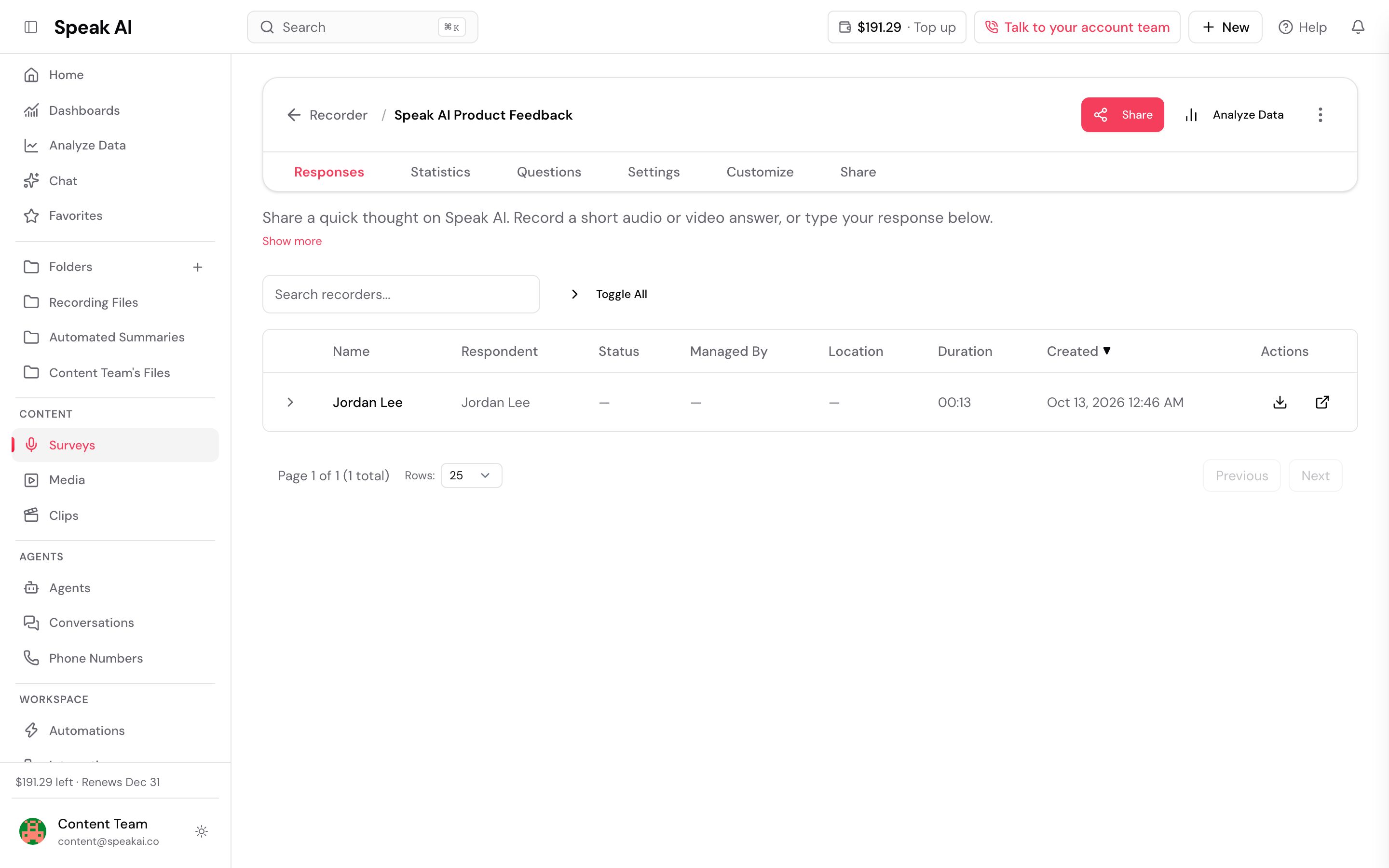
You can visit your recorder on this page:
https://app.speakai.co/recorder
Then, click on the recorder that has received files and you will see a list of the recordings.
You can hit the little download icon to download it.
Alternatively, you can click on the arrow to listen to it directly in the app.
Pro-tip: you can assign your recorder to a folder.
If you do that, all the recordings will automatically add to that recorder and you will be able to download the files in bulk.
To download the responses to your embeddable recorder, first navigate to the recorders page by clicking “Recorder” under the “Embed” subheading of the left-hand sidebar.
*Tip: You can see how many responses each recorder has in the “Responses” column.
Now, you can select which recorder you want to download responses from.
You will then be provided with a list of each separate recording. Click on the Download button of the specific reaction to download that recording to your local drive.
Download Recorder Recordings
You can visit your recorder on this page:
https://app.speakai.co/recorder
Then, click on the recorder that has received files and you will see a list of the recordings.
You can hit the little download icon to download it.
Alternatively, you can click on the arrow to listen to it directly in the app.
Pro-tip: you can assign your recorder to a folder.
If you do that, all the recordings will automatically add to that recorder and you will be able to download the files in bulk.
Want a hand setting this up? Book a free consult and we’ll do it together on your account.
Related: Embeddable recorder · Browser support