
Why use custom vocabulary?
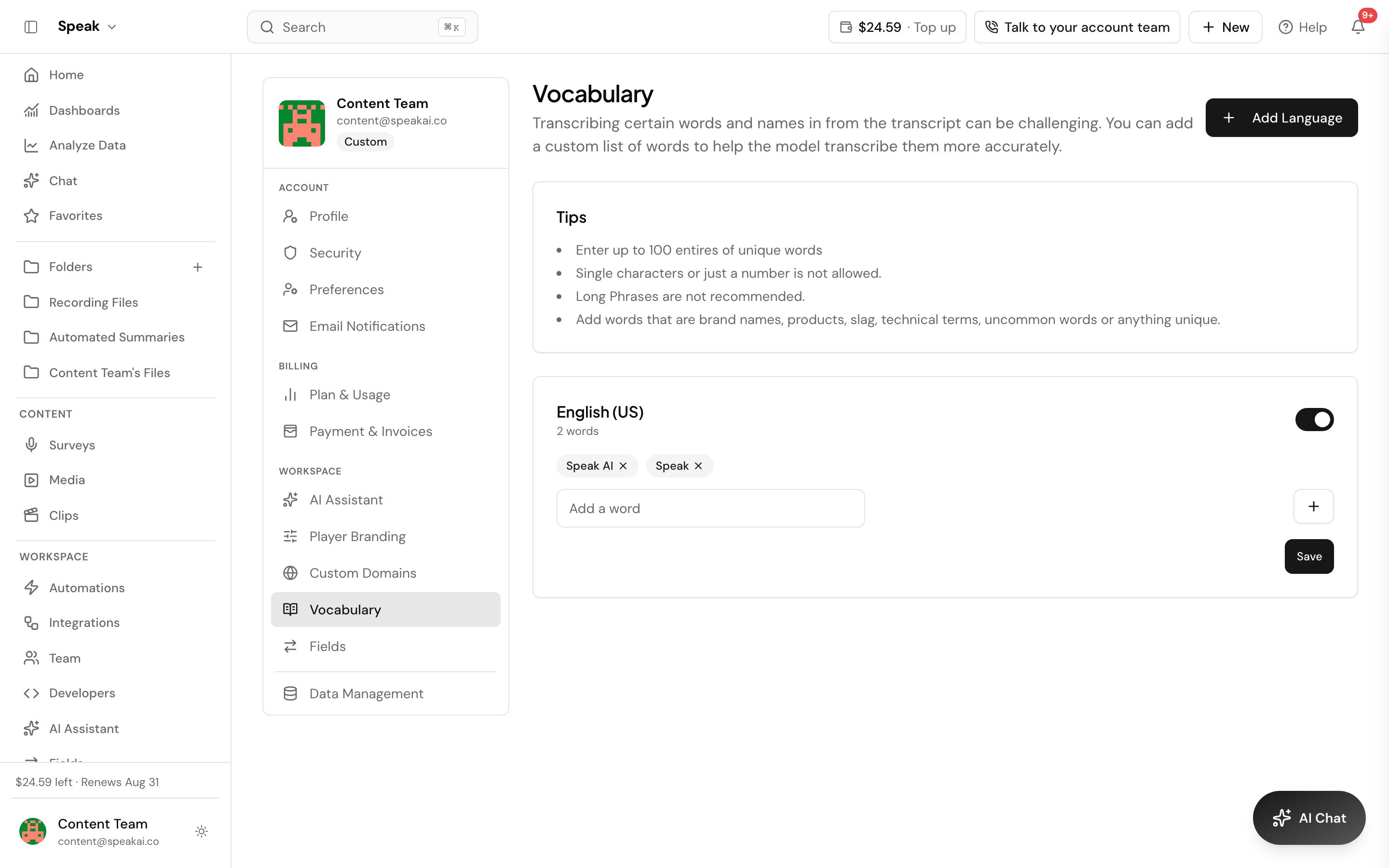 Speak AI’s transcription engine is great at recognizing common words, but it can struggle with specialized terminology, unusual names, acronyms, or industry jargon. Adding these to your custom vocabulary helps the system recognize them accurately.
What to add
- People names: Unusual spellings, non-English names, nicknames
- Company and product names: Your company name, product names, competitor names
- Industry terms: Medical terminology, legal jargon, technical acronyms
- Acronyms: How they should appear in the transcript (e.g., “HIPAA”, “GDPR”, “NLP”)
- Brand-specific language: Internal project names, feature names, code names
Set it up
Vocabulary is kept per language, so you pick the language first and then add words to it.
- Go to Vocabulary in your profile.
- Select Add Language and choose the language your recordings are in.
- Type a word into Add a word and press Enter to add it. Repeat for each term.
- Use Enable Language or Disable Language to turn a whole language on or off without deleting its words.
Your vocabulary applies to future transcriptions in that language. Adding a term to English does not affect your Spanish recordings, so add it to each language you record in.
Write entries that actually get matched
Speak’s in-app tips set the rules, and they are worth following:
- Up to 100 entries per language. Spend them on the words that actually get missed.
- No single characters and no bare numbers. Speak rejects them.
- Keep entries short. Long phrases are not recommended, so add the distinctive word rather than the whole sentence.
- Add the unusual ones: brand names, product names, technical terms, slang, and anything else uncommon.
- Be specific: add the exact spelling you want to appear in the transcript
- Include variations: if a term has multiple forms, for example “Speak AI” and “SpeakAI”, add both
- Focus on problem words: start with terms you notice being consistently mis-transcribed
Examples by industry
- Healthcare: Drug names, medical procedures, diagnosis codes
- Legal: Case names, legal terms, statute references
- Technology: Programming languages, framework names, API terms
- Research: Participant codes, methodology terms, instrument names
Custom vocabulary works alongside our AI transcription engine and improves accuracy over time as the system learns your specific terminology.
Want a hand setting this up? Book a free consult and we’ll do it together on your account.
Related: Transcription · Accuracy