
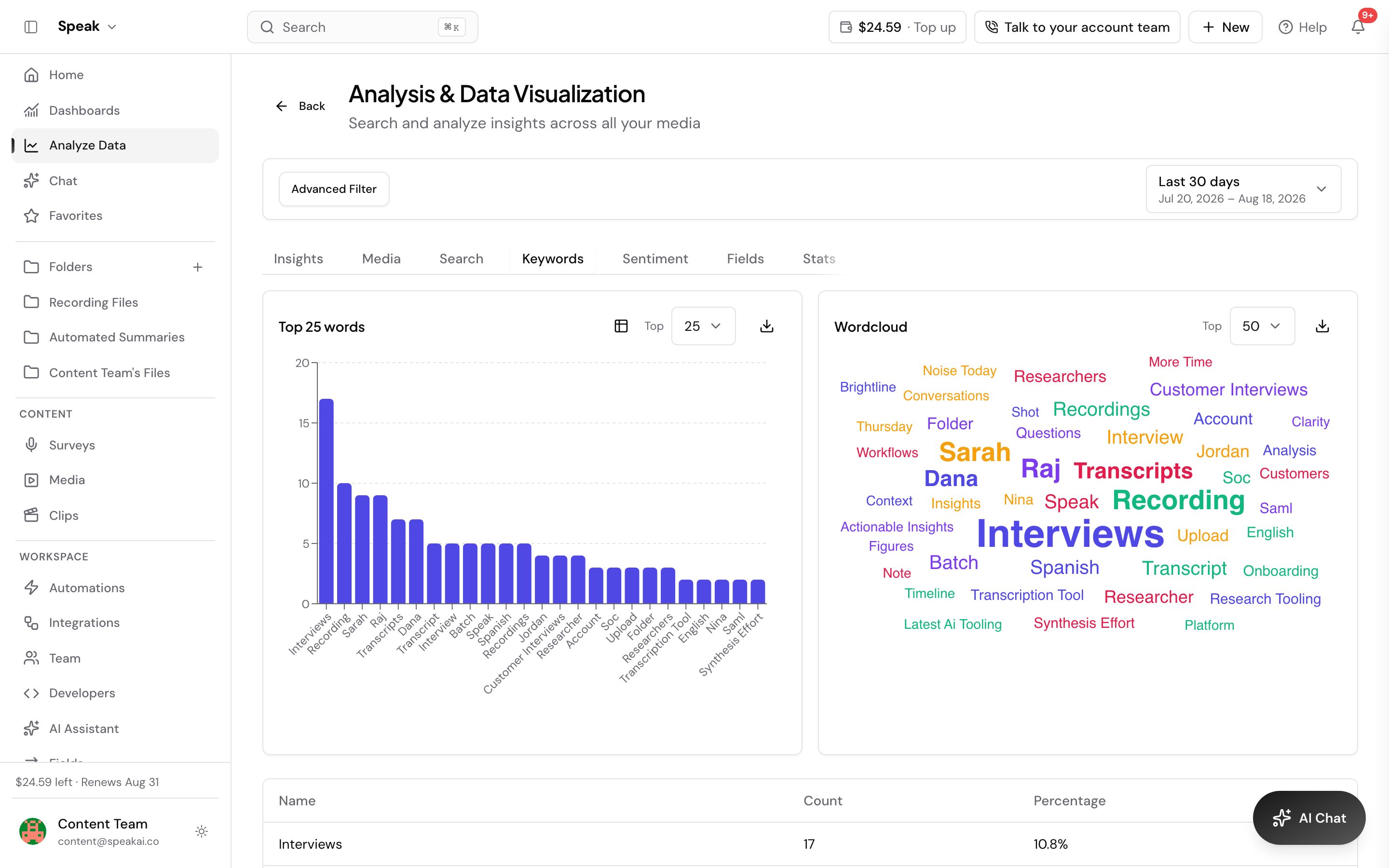
Speak builds a word cloud from a single recording or from many files at once, so you can see at a glance what a conversation or a whole project keeps coming back to.
Open a file to see the cloud for that recording. To build one across multiple files, go to Explore Insights in the left navigation. Set the number of words you want on the cloud, and select any term to jump to that topic across your media library.
Download the cloud and its data
Download the cloud as a PNG when you want the picture for a report or a deck, or as a CSV when you want the counts behind it. For a plain list of keywords with the surrounding context, export the insight data instead.
Want a hand setting this up? Book a free consult and we’ll do it together on your account.
Related: Exports · Insight data