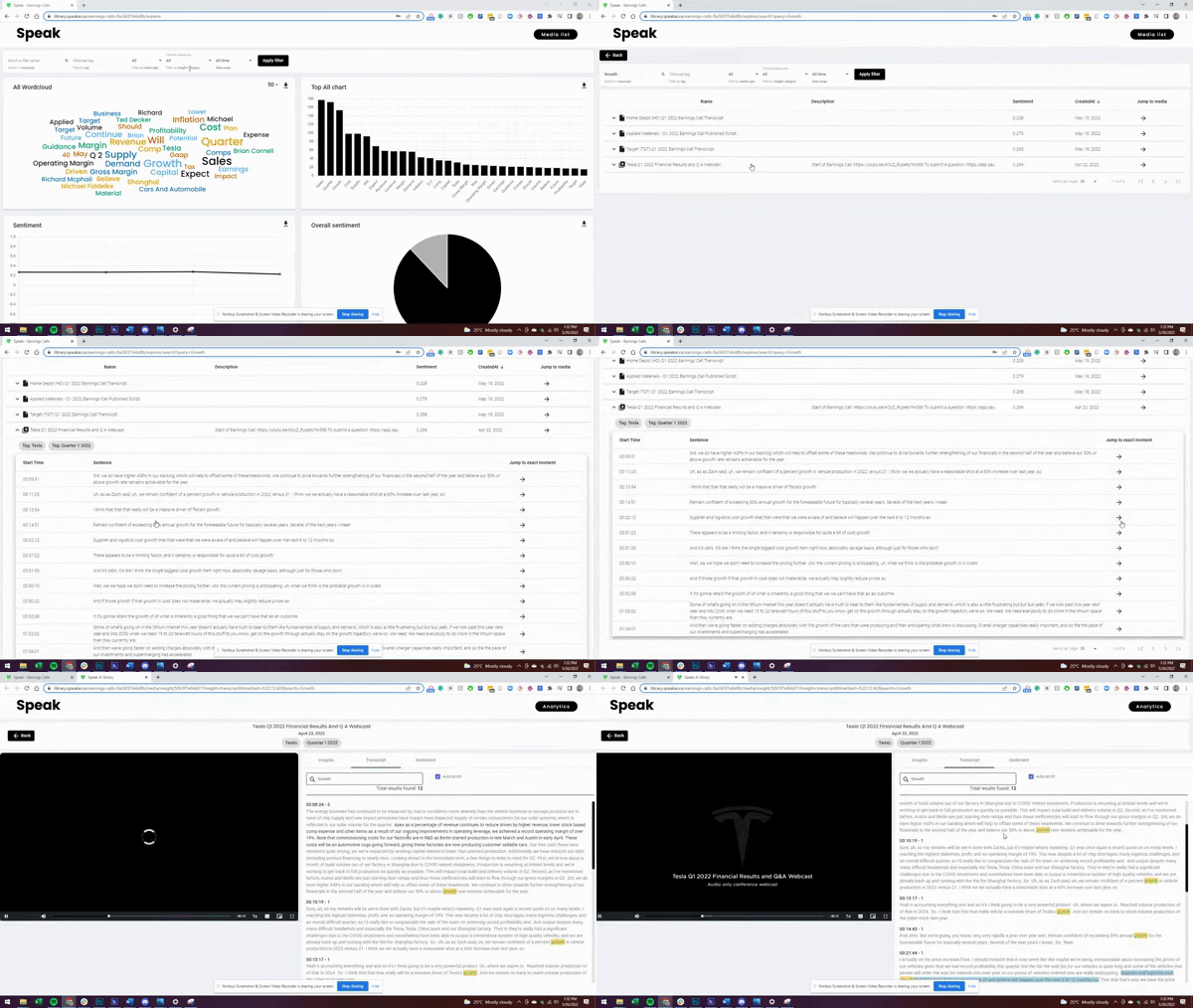
Speak AI shipped 18 updates in 2022, across 5 months.
Showing 18 of 18 updates.
November 2022
New keyword, phrase and topic reports
Feature · November 15, 2022
The Explore Insights dashboard now shows a summary report of topics, keywords and phrases. Search or click any visualization to see how often something is mentioned, how many files it appears in, its overall and sentence by sentence sentiment, the trend over time, and links to read, listen or watch key moments.
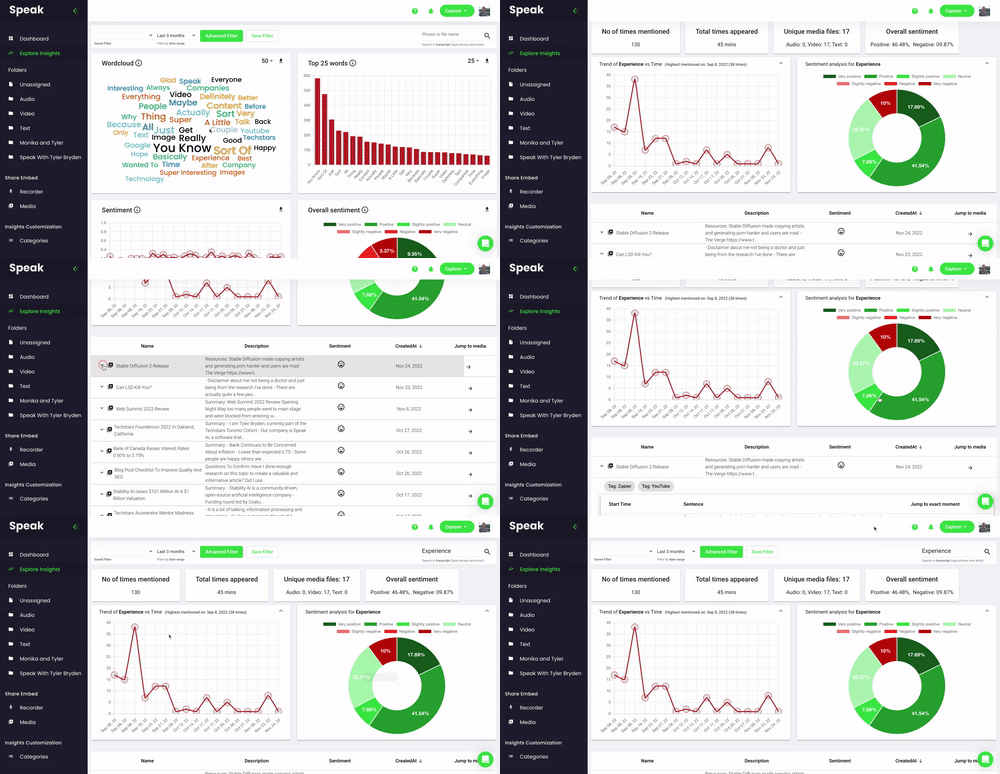
Seven-level sentiment scoring per sentence
Improvement · November 15, 2022
Speak scores every sentence across seven levels, from very positive through neutral to very negative. You see degrees of sentiment instead of a positive or negative label.
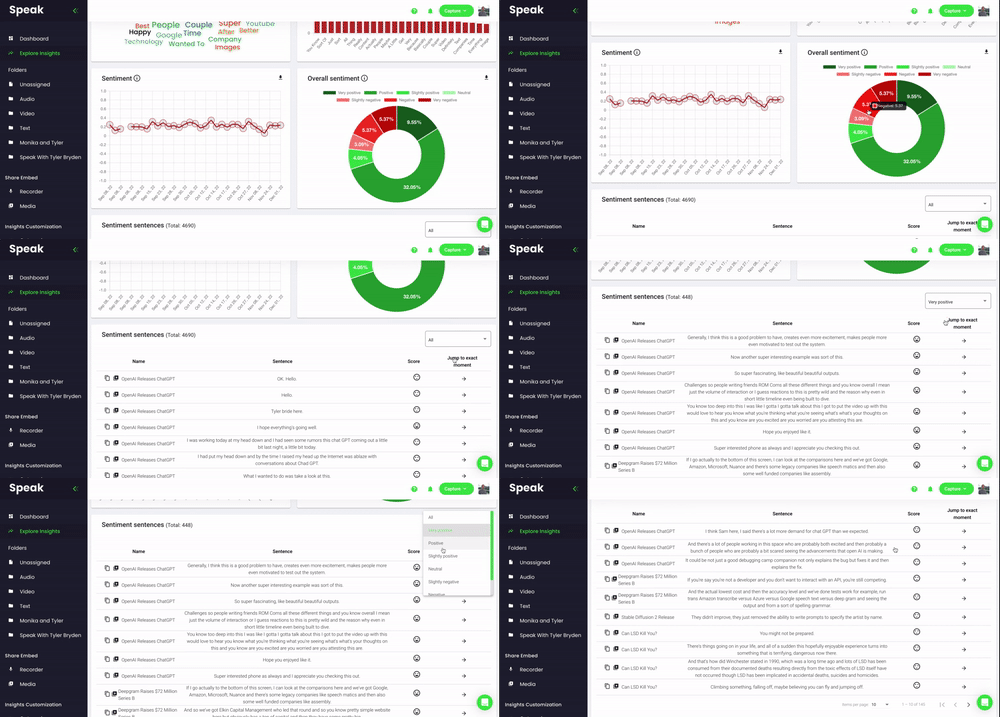
Advanced data filtering in Explore Insights
Feature · November 15, 2022
You can now build filters with multiple and or conditions to include and exclude data across speakers, sentiment, tags, category insights, folders and time. Saved filters let you repeatedly surface what matters most.
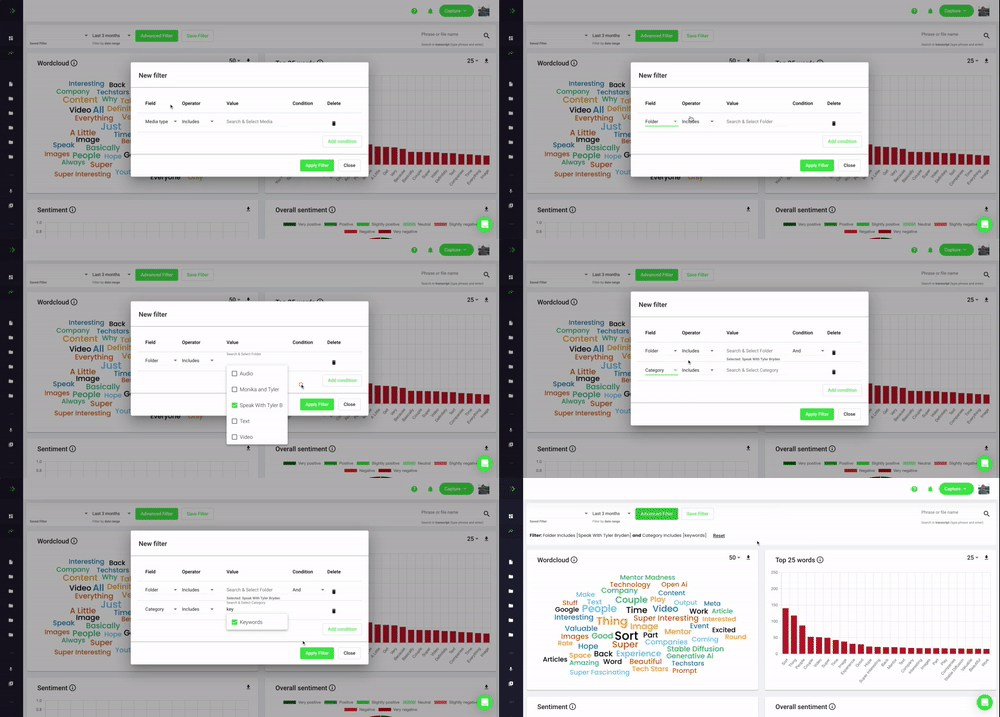
Explore Insights button on files and folders
Improvement · November 15, 2022
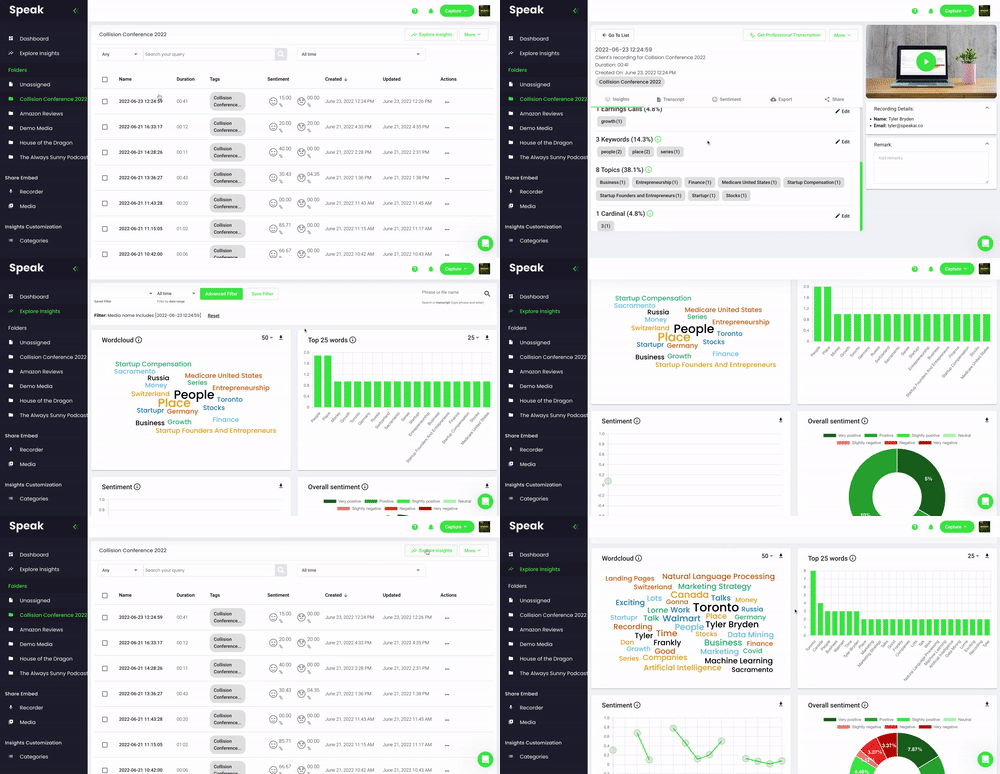
When viewing any file or folder in Speak you now see an Explore Insights button that opens the dashboard scoped to that selected data.
White labeled data visualizations
Feature · November 15, 2022
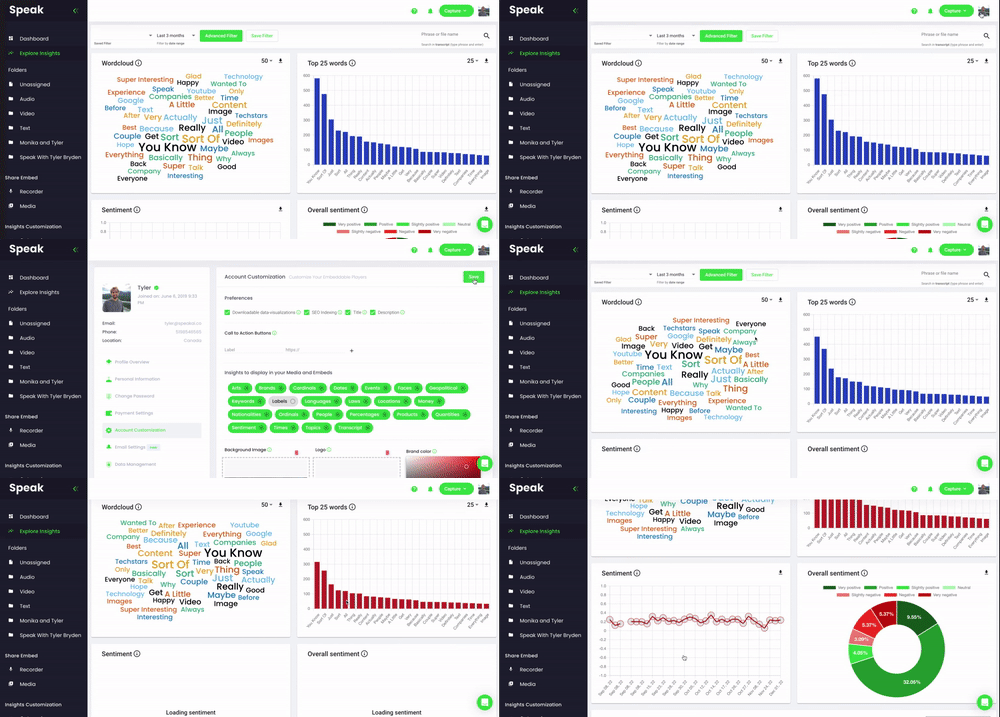
White label subscribers can add their brand color in the Account Customization area and Speak automatically restyles every visualization. You can then export branded visualizations for presentations, reports and content.
September 2022
Relationship detection and knowledge graphs
Feature · September 15, 2022
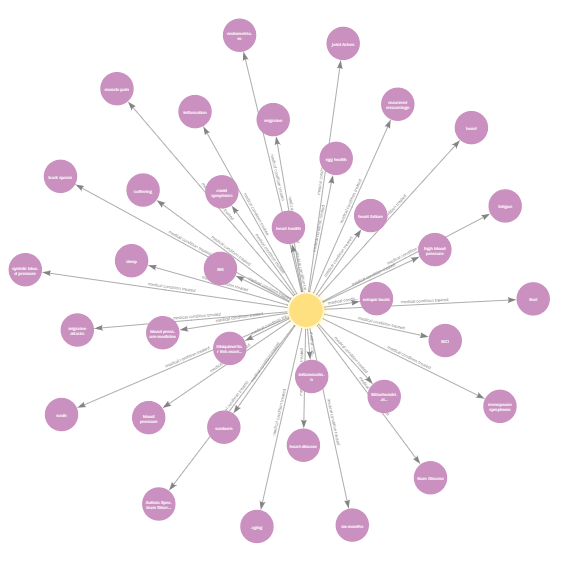
Speak now has a relationship detection algorithm that goes beyond pulling out data to automatically find connections in it. It then builds visualizations and knowledge graphs so you can grasp and share those relationships.
Add, edit and remove tags in bulk
Improvement · September 15, 2022
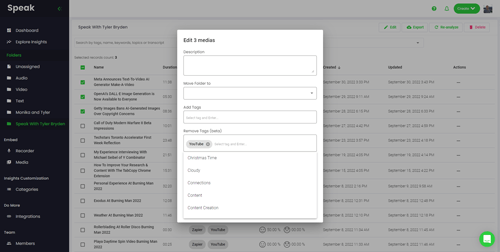
Select many items at once and add, edit, or remove their tags in a single action. Organizing a large library no longer means opening each item.
July 2022
Multiple language Twitter analysis
Feature · July 15, 2022
Speak can now pull and analyze thousands of tweets going back to 2006. Give the keywords, phrases and hashtags you care about, and optionally locations and languages, to understand how people feel about trends, products and events.
Multiple language Amazon review analysis
Feature · July 15, 2022
Speak can now scrape Amazon reviews so you can understand how people think about products, brands and service. Give the product URLs and Speak builds a dataset with the review text, dates, location, reviewer name and star rating.
Gender and age data enrichment
Feature · July 15, 2022
Speak can now analyze the names of people in a dataset to predict their gender and age. Each prediction includes a confidence score and the number of names it is based on.

Automatic audio stream clipping and analysis
Feature · July 15, 2022
Speak can now hook into live audio streams, automatically detect when someone is speaking, and create clips of only those moments for transcription and analysis so you do not pay to process silence.
June 2022
Customize Explore Insights visualizations
Improvement · June 15, 2022
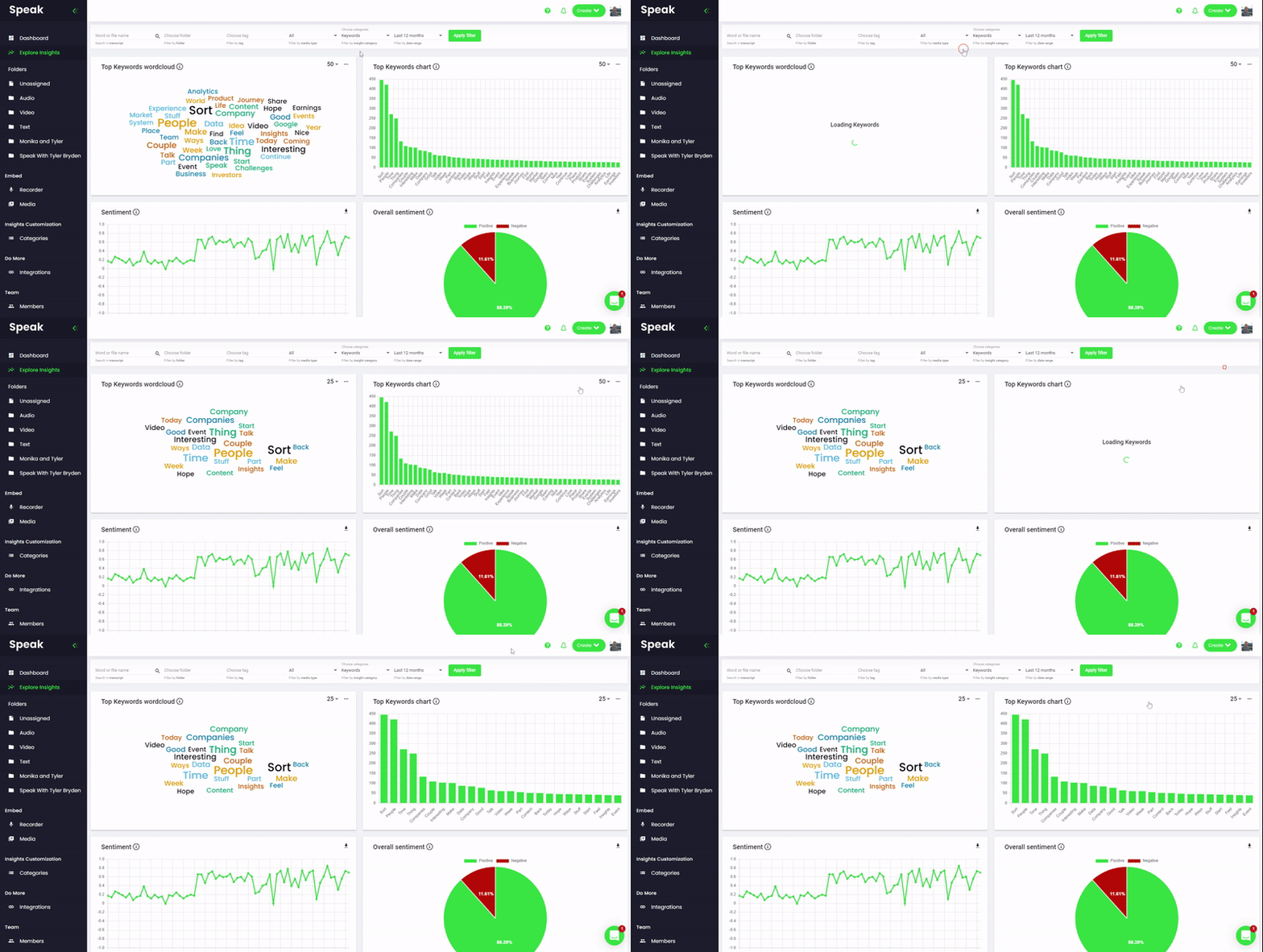
On the Explore Insights page you can now change how many insights show on the word cloud and bar chart, so you can scale up or focus down on what matters most.
Export Explore Insights data to CSV
Feature · June 15, 2022
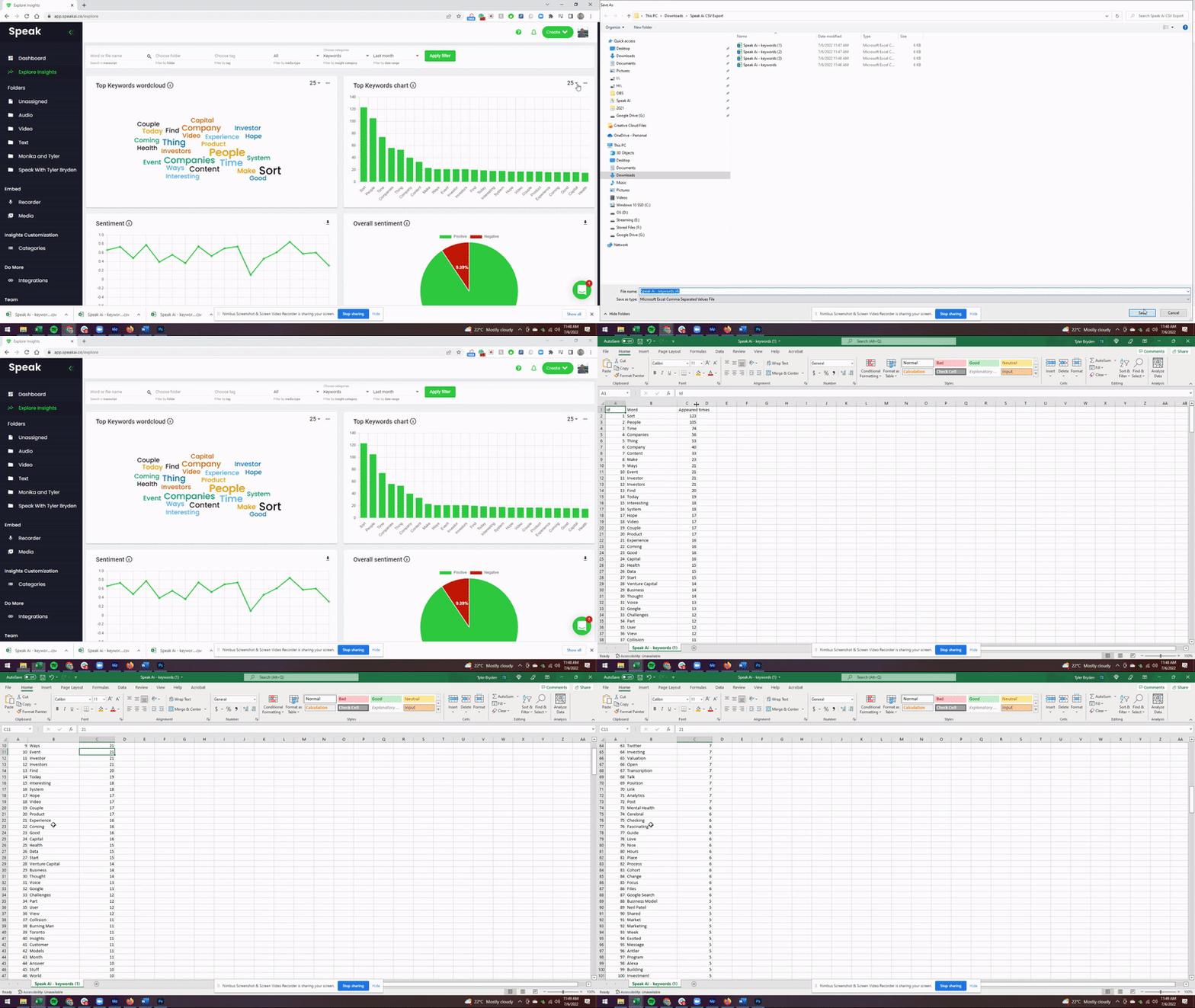
Click the three dots above the bar chart or word cloud on the Explore Insights page to export the displayed data as a CSV. Use the dashboard filters first and then take the insights into your own tools.
Merged default and custom categories
Improvement · June 15, 2022
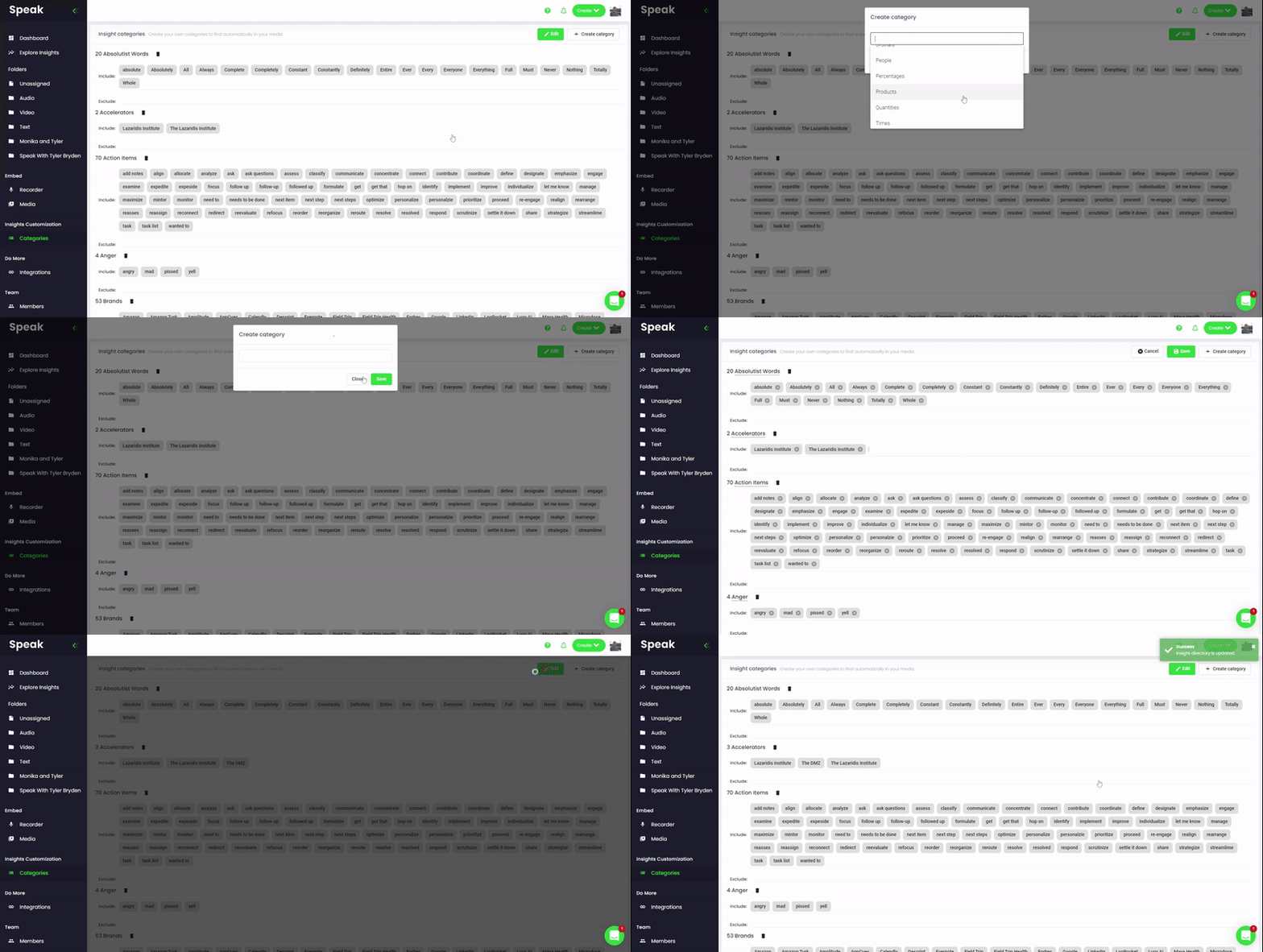
Default and custom categories are now combined on one Categories page. You can still add categories and include or exclude keywords and phrases just like before.
Set a recorder duration limit
Feature · June 15, 2022
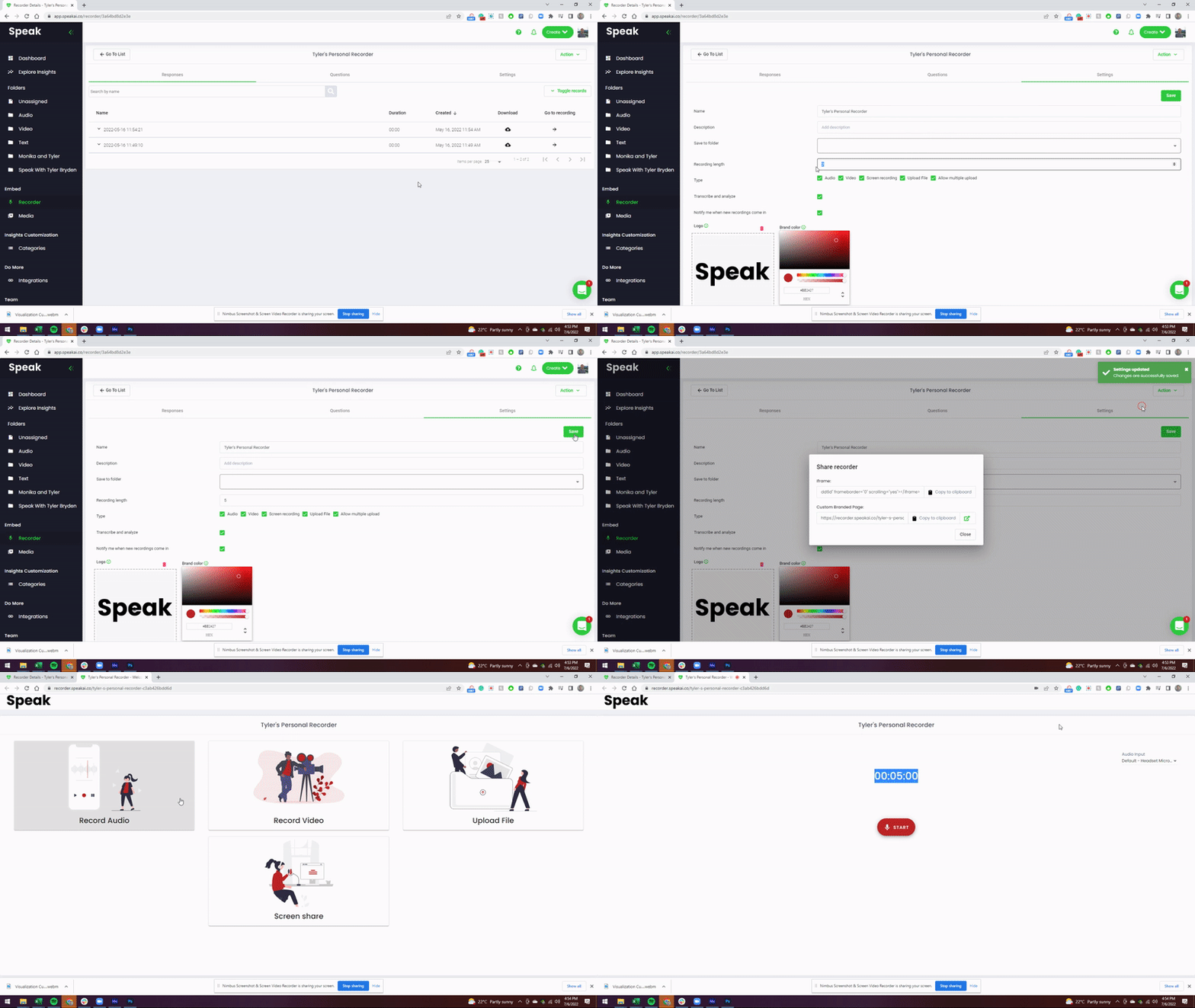
You can now set how many minutes people are allowed to record directly in your recorder settings, and the embeddable recorder updates instantly to enforce that limit. This needs the Individual Media Sharing and Recorder Customization add on.
May 2022
Transcription and analysis in five languages
Feature · May 15, 2022
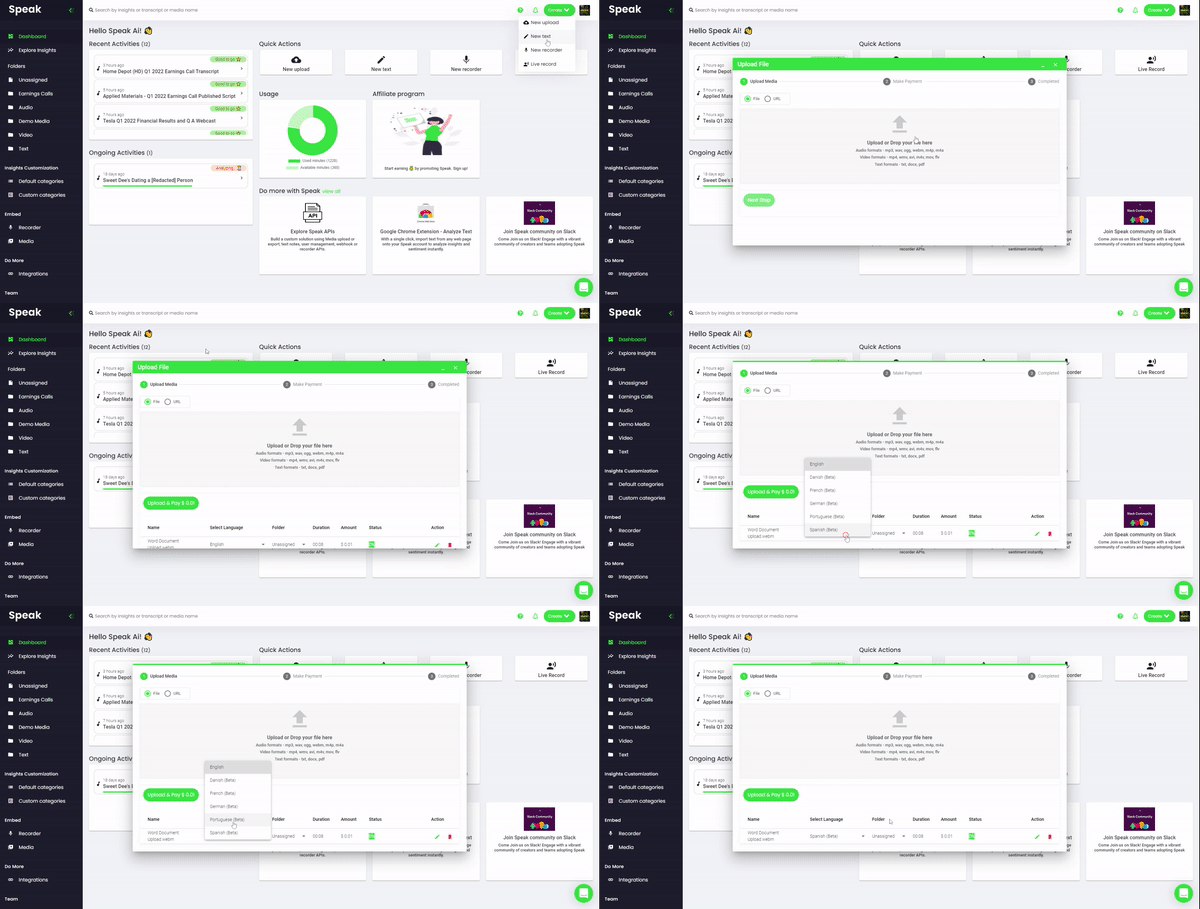
You can now transcribe and analyze audio, video and text in Danish, French, German, Portuguese and Spanish. Pick the language from a dropdown when you upload and the transcript, insights, players and reports all follow that language.
Screen recording and text uploads in recorder
Feature · May 15, 2022
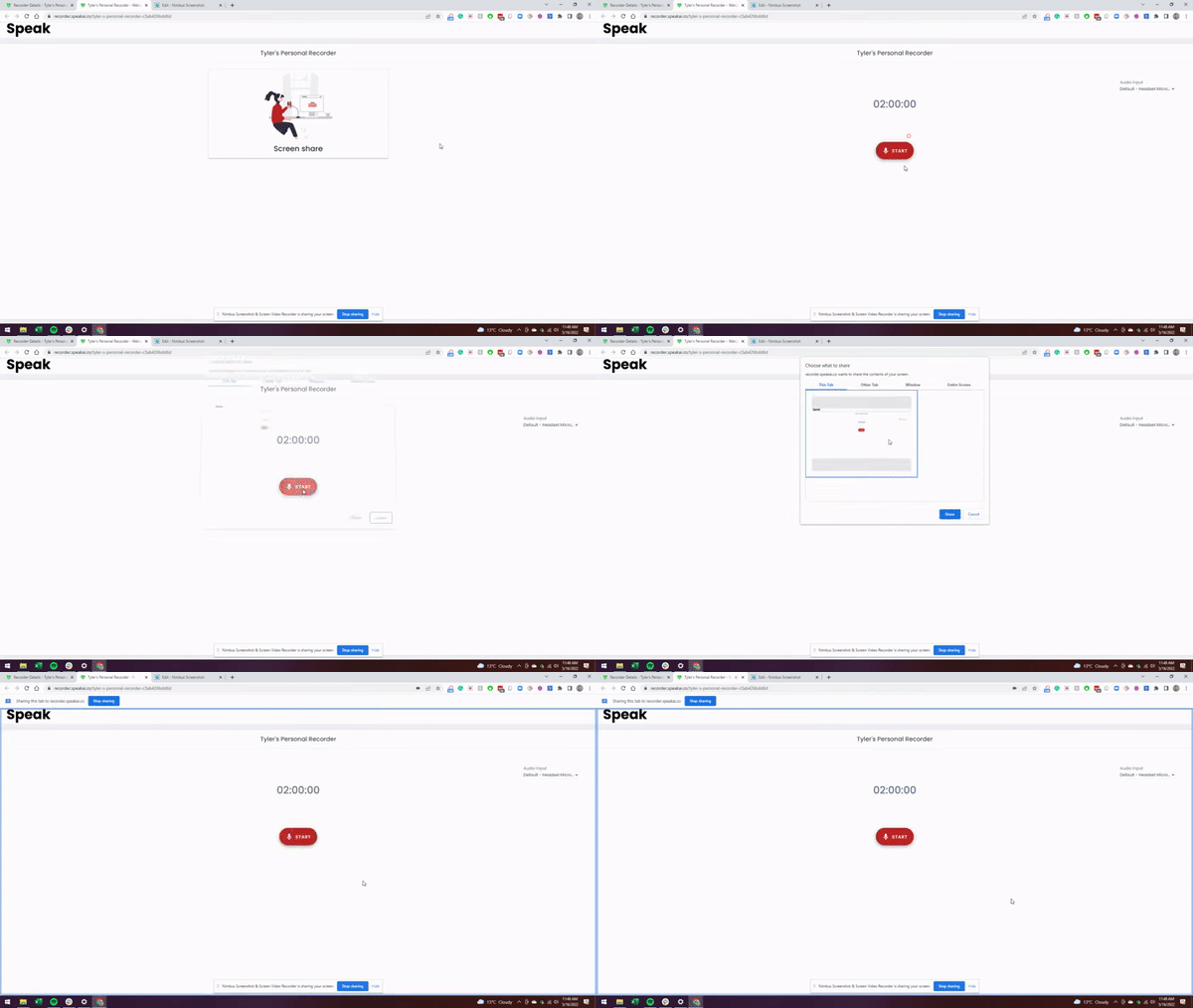
The Speak recorder now lets people share their screen while recording video. Submitters can also upload Word, PDF and TXT files through the recorder, and required fields are removed so you can collect anonymous submissions.
Automatic earnings call analysis prototype
Feature · May 15, 2022
Speak can now produce automatic reports on earnings calls covering revenue, profit, headwinds, guidance and more. This is an early prototype built for people who follow public companies.