---
title: "Speak AI changelog: every product update shipped in 2026"
description: "Every product update Speak AI shipped in 2026: 60 updates from January through July, covering new features, fixes, and improvements to the product."
---
> Documentation Index
> Fetch the complete documentation index at: https://docs.speakai.co/llms.txt
> Use this file to discover all available pages before exploring further.
# Speak AI changelog: every product update shipped in 2026
[Back to all changelog years](/changelog/)
Speak AI shipped 60 updates in 2026, across 7 months. Each entry links to the part of the app it changed.
## July 2026
### Inline creation in selection menus
**Feature** · July 14, 2026
You can now create folders and custom fields directly from selection menus without leaving your current workflow. Search also matches custom field values more accurately, and records with linked content are protected from accidental deletion.
### Visible menus in full screen chat
**Fix** · July 13, 2026
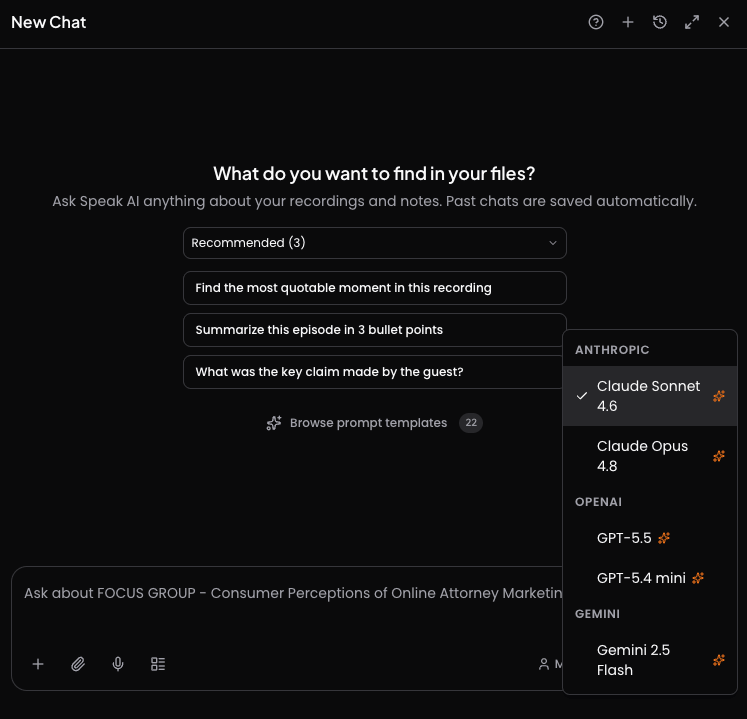
Dropdown menus now open correctly when the chat panel is maximized. Model, assistant, and recommendation pickers stay visible instead of appearing behind the full screen interface.
### Expanded premium model selection
**Feature** · July 13, 2026
You can now choose from additional premium chat models in the model picker. Plan based availability is shown more clearly so free and paid workspaces see the right options.
### Faster app responsiveness
**Performance** · July 13, 2026
Pages and interactions across the app now feel more responsive during everyday use. Behind the scenes optimizations reduce unnecessary work so screens load and update more smoothly.
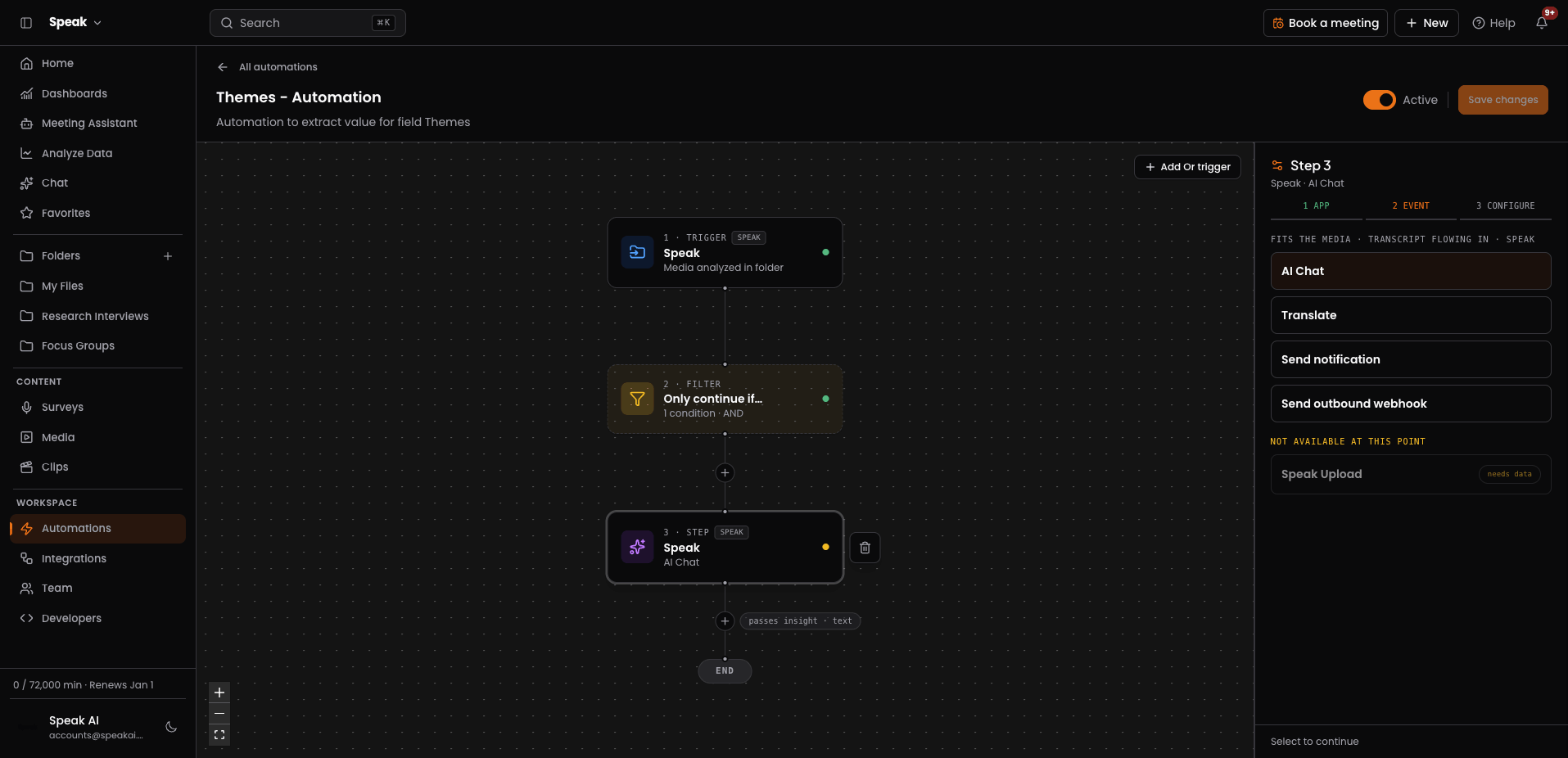
### Automation Library template picker
**Feature** · July 11, 2026
You can now start automations from a curated template library instead of building from scratch every time. New automation opens the library first, with a blank canvas option pinned at the top.
### Cleaner recorder and upload handling
**Fix** · July 10, 2026
Recording and upload flows now handle incomplete media more gracefully. You see fewer unexpected errors when a recording, its details, or its transcript are still being prepared.
### More reliable transcription across languages
**Fix** · July 10, 2026
Transcription now applies the right settings for every supported language. Uploads no longer fail for languages that handle custom vocabulary differently.
### More flexible custom fields
**Fix** · July 9, 2026
You can now create custom fields without adding a description, and AI generated fields work reliably. Field setup is consistent whether you build them by hand or let AI create them.
### In app What's New hub
**Feature** · July 9, 2026
You can now see the latest product announcements in a dashboard modal and reopen them later from the account menu. The changelog page also matches your app theme for a smoother reading experience.
### Better search in long dropdown lists
**Improvement** · July 8, 2026
Dropdown searches now look through your full list instead of only what is loaded on screen. You can find folders and other items more reliably in long lists.
### Visible prompt text on retry
**Fix** · July 8, 2026
Retrying a failed chat message now keeps your original prompt visible while the new response is prepared. Chat history stays readable instead of showing a blank prompt bubble.
### Clearer automation run failures
**Fix** · July 8, 2026
Automation runs now show clearly when a prompt fails instead of appearing stuck while preparing. You can tell when a run did not complete rather than waiting on it.
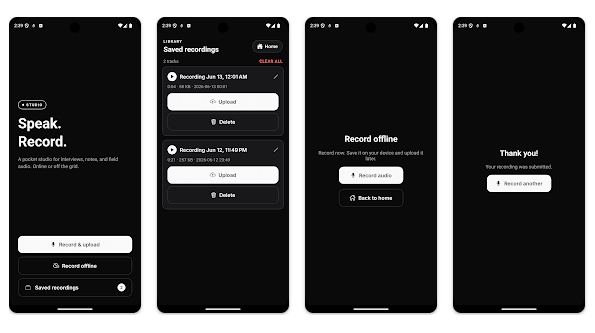
### Record first mobile capture flow
**Improvement** · July 6, 2026
Mobile recording now starts immediately without requiring a code or setup before capture. Recordings save offline first, and recorder selection, questions, and upload happen afterward from saved recordings.
### Unified workspace product switching
**Improvement** · July 3, 2026
You can now move between Speak and Speak Agents from the sidebar with a smoother sign in handoff. New account setup also lands on a dedicated welcome flow that makes cross product access clearer.
### Canvas workspace for agent planning
**Feature** · July 3, 2026
You can now start building agents in a new canvas workspace designed for visual planning. Agents gain a foundation for arranging steps and logic in a more flexible builder experience.
### More reliable transcript processing
**Fix** · July 2, 2026
Transcripts now finish processing even when some timing or speaker details arrive incomplete. Media no longer gets stuck during analysis when parts of the speech data are missing.
### Expanded webhook automation integrations
**Feature** · July 2, 2026
You can now connect outbound webhooks to more automation platforms with simpler setup. Integrations also support more reliable event delivery and push based triggers for faster downstream workflows.
### Pick the AI model for your chat
**Feature** · July 1, 2026
You can now choose which AI model runs your chat from the latest top models, and set a default that sticks. Ask about one file or your whole library with the model you trust.
[Open Chat →](https://app.speakai.co/chat/history)
### Automations on a visual canvas
**Feature** · July 1, 2026
Automations got their biggest upgrade yet. You build a workflow on a visual canvas and Speak runs it for you. New triggers fire when a file finishes, a field changes, or a webhook comes in. You can add filter and branch steps, send alerts by email, Slack, or in the app, and review a full run history with test runs.
[Open Automations →](https://app.speakai.co/automations)
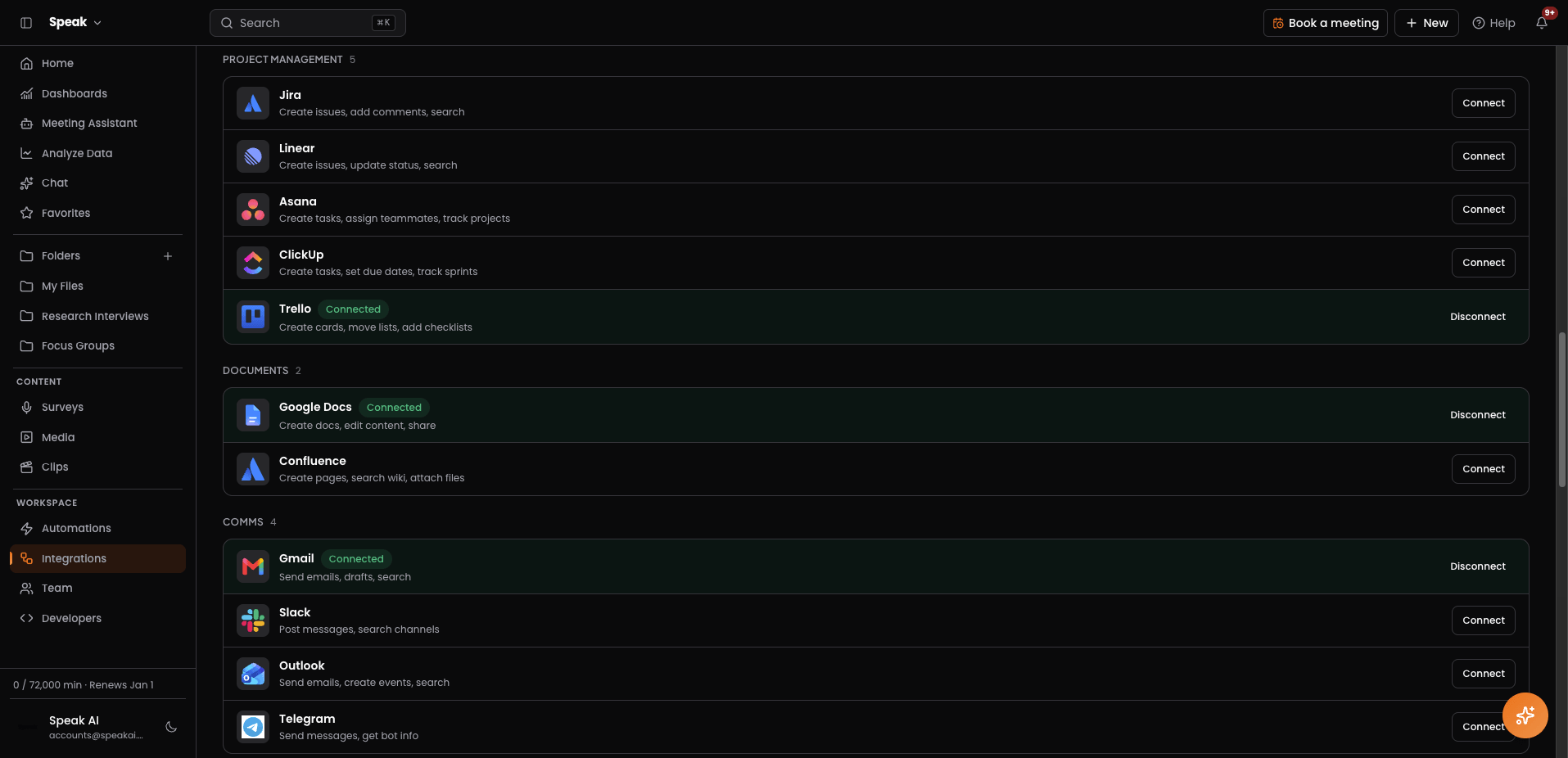
### A rebuilt integrations page
**Feature** · July 1, 2026
We rebuilt the integrations page so you can connect in a couple of clicks. Link tools like Gmail, Slack, Notion, and Google Docs so Speak can act inside your automations. Sync Slack, Google Calendar, Outlook, Vimeo, and the Chrome extension, and connect Speak to ChatGPT, Claude, or Claude Code with one link.
[Open Integrations →](https://app.speakai.co/integrations)
### A new recorder app for Android
**Feature** · July 1, 2026
The new Speak mobile app is live on Android. You can record any conversation with no login and fully offline, whether it is a meeting, a call, or a chat in the field. Everything syncs to your workspace once you enter your recorder code.
[Open Surveys →](https://app.speakai.co/recorder)
### A cleaner and faster chat
**Improvement** · July 1, 2026
Chat is cleaner and quicker. Press Enter to send, attach an audio or video file or paste a link, stop a reply while it is still writing, and chat with one file or your whole library.
[Open Chat →](https://app.speakai.co/chat/history)
### Choose which meetings your notetaker joins
**Improvement** · July 1, 2026
You can now choose exactly which meetings your notetaker joins, with simple rules to skip the calls you want to keep private.
[Open Meeting Assistant →](https://app.speakai.co/meeting-assistant)
### Balance is now Credits
**Improvement** · July 1, 2026
Your balance is now called Credits, and your trial status is always in view.
## June 2026
### Build and share custom dashboards
**Feature** · June 15, 2026
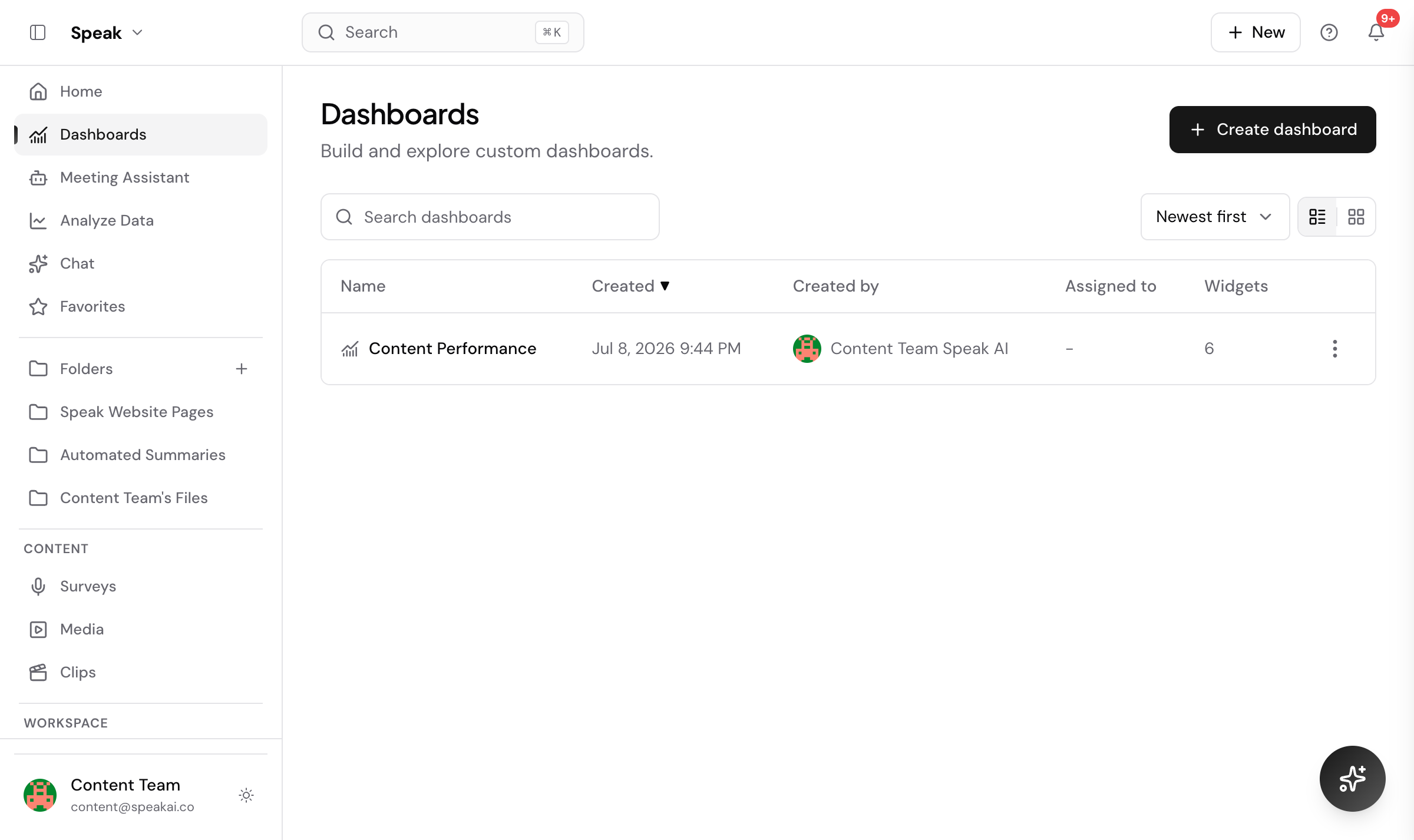
You can now build your own dashboards with cards and charts from your media fields, filter them, and share a public link or embed them. An optional email gate captures leads and shows you who viewed the dashboard.
[Open Dashboards →](https://app.speakai.co/dashboards)
### An assistant that acts on your workspace
**Feature** · June 15, 2026
The Speak assistant can take actions in your workspace using its tools and asks clarifying questions when it needs them. Anything destructive is held back until you confirm it.
[Open Chat →](https://app.speakai.co/chat/history)
### Attach files to AI chat
**Improvement** · June 15, 2026
You can add images, PDFs, or audio and video files directly to a chat message. Images and documents give the AI extra context, and audio or video is transcribed before the chat reads it.
[Open Chat →](https://app.speakai.co/chat/history)
### Use your integrations inside AI chat
**Feature** · June 15, 2026
Connect tools like Gmail, Slack, Notion, and Google Drive and let the assistant use them during a conversation. You can also trigger the same integrations from automations.
[Open Integrations →](https://app.speakai.co/integrations)
### Variables in prompts
**Feature** · June 15, 2026
You can drop variables into your chat and automation prompts. Speak swaps in real values from the current media, folder, user, or workspace before the prompt reaches the model.
[Try it in Chat →](https://app.speakai.co/chat/history)
### Choose your chat assistant
**Improvement** · June 15, 2026
You can now pick which assistant answers you from the chat input, including custom assistants you set up. Each assistant is tuned for a different style of help.
[Open Chat →](https://app.speakai.co/chat/history)
### Trigger automations from any tool
**Feature** · June 15, 2026
Automations can now start from an inbound webhook, so any external tool can kick off a Speak workflow.
[Open Automations →](https://app.speakai.co/automations)
### Recorder pairing codes
**Feature** · June 15, 2026
Turn on recorder pairing codes to connect the native recorder apps to your workspace with a six digit code. You can find the code on the recorder share tab and rotate it anytime.
[Open Surveys →](https://app.speakai.co/recorder)
### The redesigned Speak app is live
**Feature** · June 6, 2026
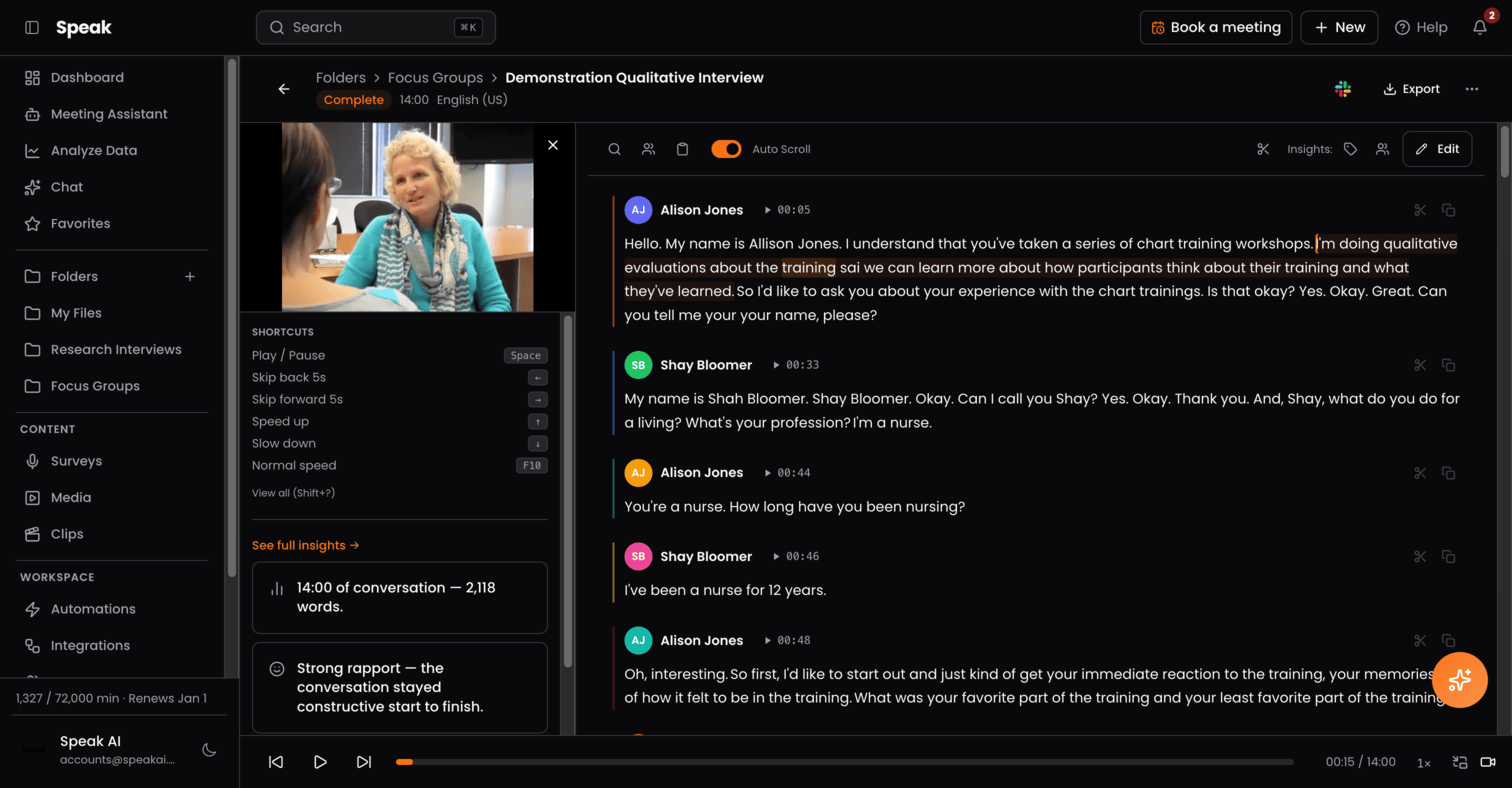
The Speak app has a fresh redesign and it is live. It is easier to move around and built around how you work, so you reach your recaps, decisions, and follow ups in fewer steps. The old version is still there and you can switch back any time.
### Live meeting transcripts as they happen
**Feature** · June 6, 2026
You can now pull a live meeting transcript in real time and act on the call while it is still going.
## May 2026
### Speak connector for Claude, ChatGPT, and Cursor
**Feature** · May 15, 2026
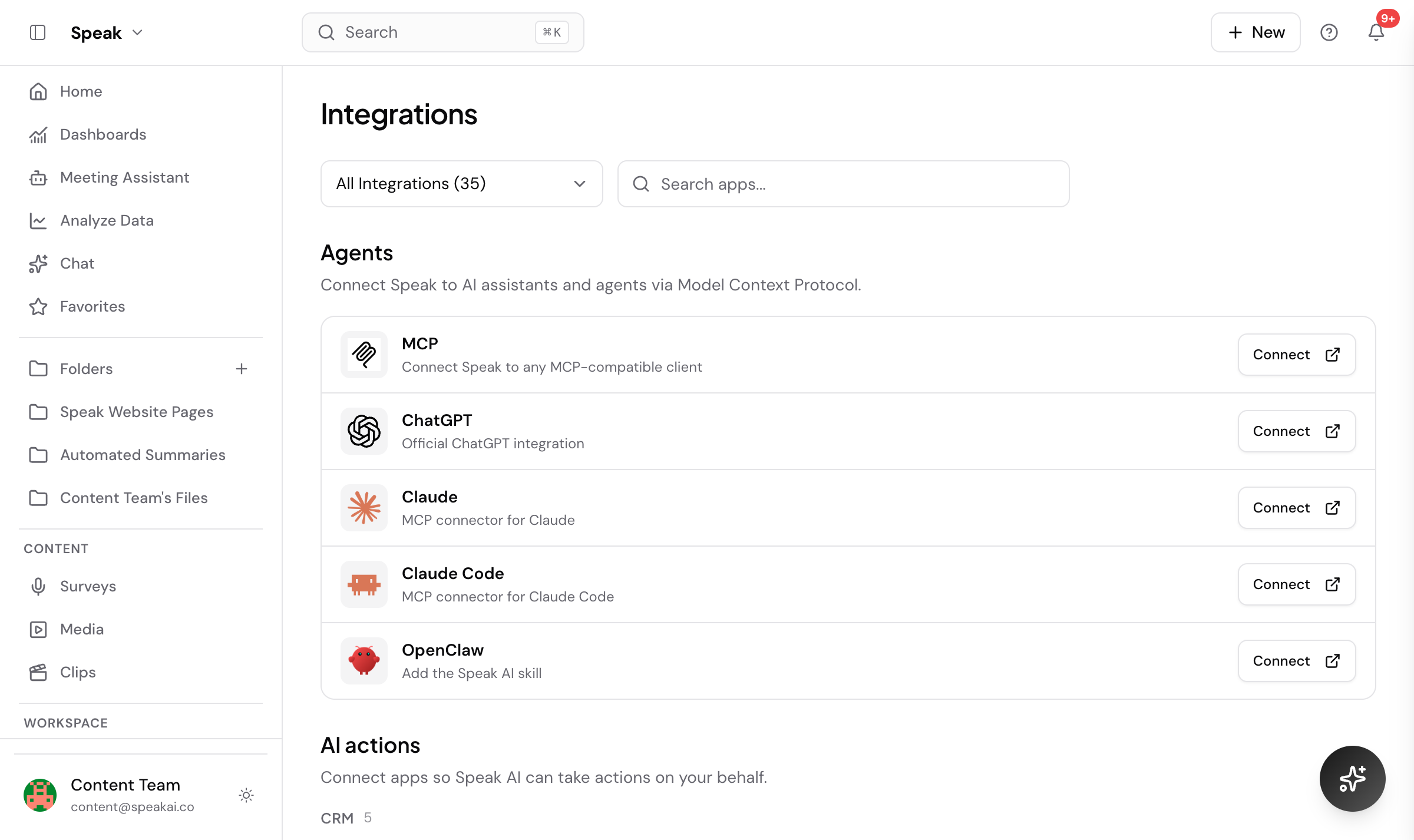
Speak now connects to Claude, ChatGPT, and Cursor through a connector at mcp.speakai.co. You paste the connector URL into your AI tool settings, then ask it to upload a recording or pull action items from your last meeting, using an API key from your developer settings.
[Set up the connector →](https://mcp.speakai.co)
### Bulk import from a CSV file
**Feature** · May 15, 2026
You can now upload a CSV to bring in many media links or text notes at once. This saves you from adding each item by hand.
[Import media →](https://app.speakai.co/embed-media)
### Dub your videos into other languages
**Feature** · May 15, 2026
Translation now includes audio dubbing and lets you set a different target language for each file. You see a clear cost breakdown before you start.
[Open Translate →](https://app.speakai.co/translate)
### Bring in content from web pages
**Feature** · May 15, 2026
A web scraper lets you pull text from a web page directly into Speak for analysis. You point it at a link and Speak imports the content.
[Open Integrations →](https://app.speakai.co/integrations)
### Record your screen with a camera overlay
**Feature** · May 15, 2026
The web recorder can now capture your screen together with a picture in picture camera view. This makes it easy to record walkthroughs and demos.
[Open Surveys →](https://app.speakai.co/recorder)
### AI insights on text documents
**Feature** · May 15, 2026
Speak now runs its AI analysis on text files and notes, not only audio and video. You get the same insights and fields from written content.
[Open Analyze Data →](https://app.speakai.co/explore)
### Speak AI command line tool
**Feature** · May 15, 2026
A command line tool lets you upload, transcribe, and manage your media from the terminal. It runs alongside the connector for scripted and developer workflows.
[Read the CLI guide →](https://docs.speakai.co/sdk/)
## April 2026
### Explore trends and sentiment across your library
**Feature** · April 15, 2026
A new Explore view surfaces trending topics and sentiment across all your media. It shows how each metric changed compared to the previous period so you can see what is moving.
[Open Analyze Data →](https://app.speakai.co/explore)
### Purpose built chat agents
**Feature** · April 15, 2026
AI chat now offers different agent types tuned for different jobs instead of one generic assistant. You pick the agent that fits the question you are asking.
[Open Chat →](https://app.speakai.co/chat/history)
## March 2026
### Live Speak voice AI agent preview
**Feature** · March 15, 2026
You can now try a live Speak voice AI agent on the web or by calling a phone number. The agent knows the Speak platform and can answer questions about features, workflows, and pricing and guide you step by step.
[Try the voice agent →](https://speakai.co/voice-agents/)
### Cleaner recorder and upload flow
**Improvement** · March 15, 2026
The recorder and upload flow is cleaner and easier to use.
[Open Surveys →](https://app.speakai.co/recorder)
### Live translation across languages
**Feature** · March 15, 2026
Speak now supports live translation across multiple languages.
[Open Translate →](https://app.speakai.co/translate)
### Smoother video and transcript viewing
**Improvement** · March 15, 2026
Viewing video alongside the transcript is now a smoother experience.
## February 2026
### Integrated help and AI chat panel
**Feature** · February 15, 2026
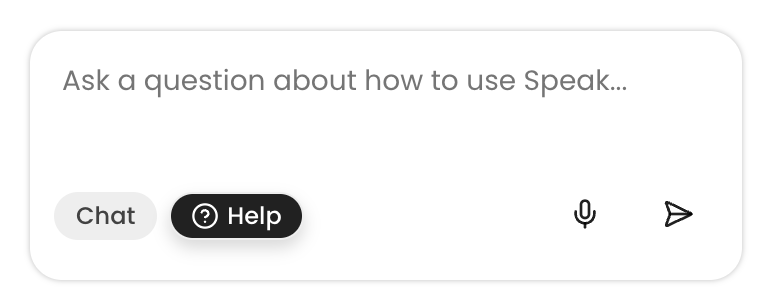
Help and Chat now open in a panel across the whole app. There is a clear split between Help for support and Chat for analysis, and answers are grounded in the documentation and best practices.
[Open Chat →](https://app.speakai.co/chat/history)
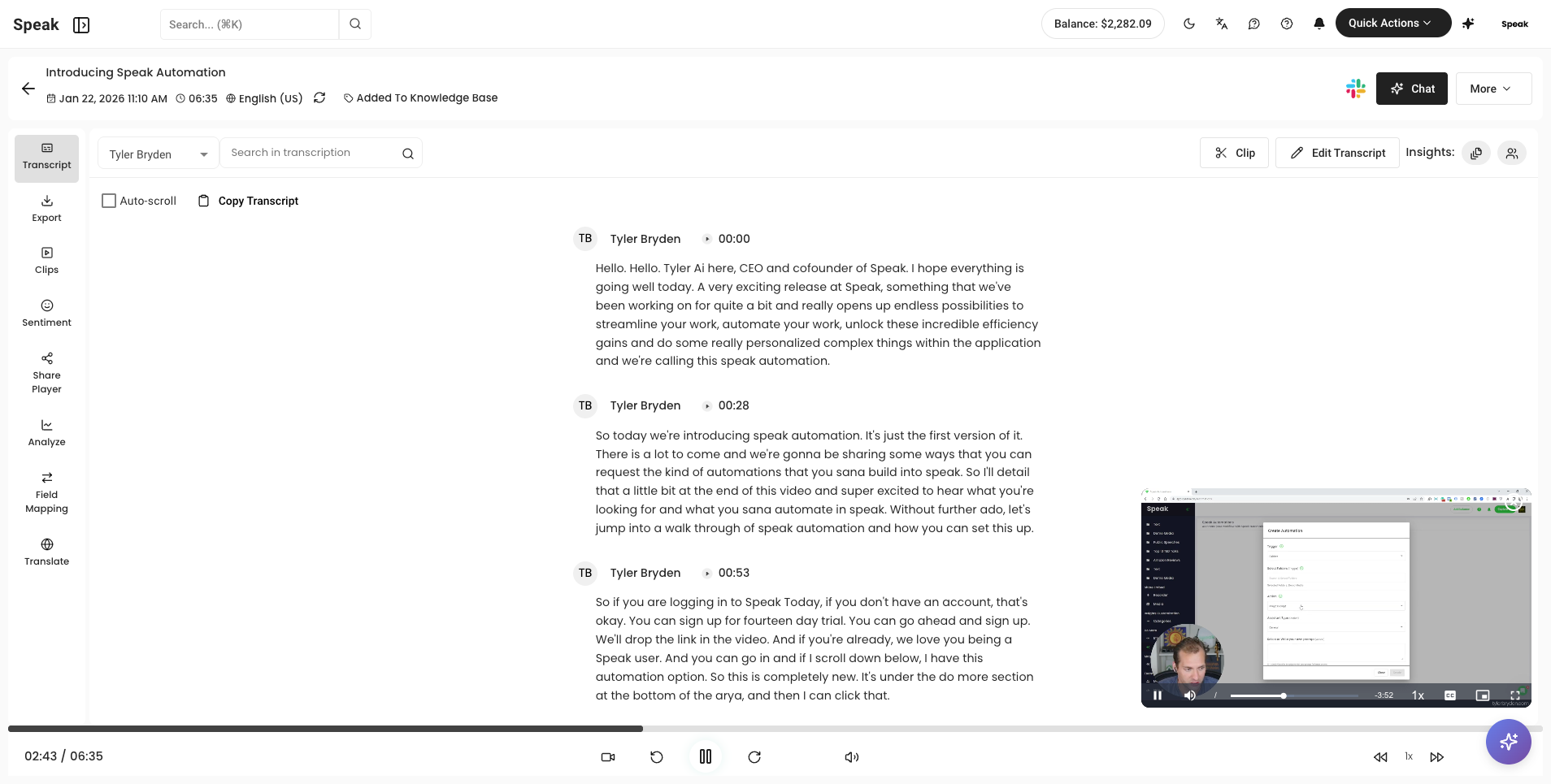
### Transcript view upgrades
**Improvement** · February 15, 2026
The transcript now opens in a full width view by default for easier reading. You can toggle the insights and chat panels on and off.
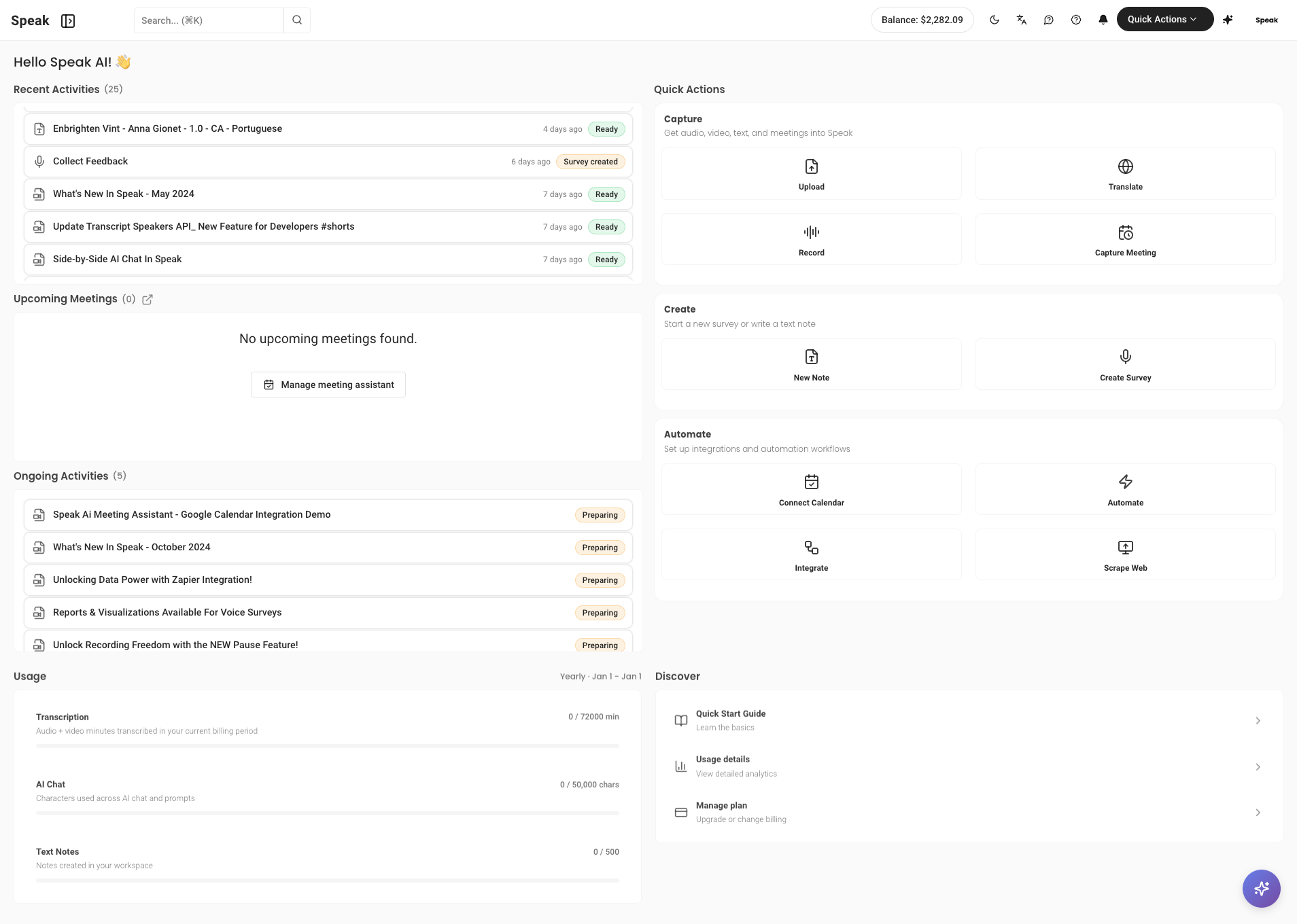
### Dashboard refresh
**Improvement** · February 15, 2026
Quick Actions are grouped with clearer labels and recent and ongoing activity is easier to see. Account usage is expanded and there is a new Discover section for helpful resources.
[Open Home →](https://app.speakai.co/home)
### 31 more transcription languages
**Feature** · February 15, 2026
Speak added transcription support for 31 more languages.
### Saved prompt templates
**Feature** · February 15, 2026
Save your most used AI chat prompts as templates and reapply them in one click. This keeps recurring analysis consistent and faster to run.
[Open Chat →](https://app.speakai.co/chat/history)
## January 2026
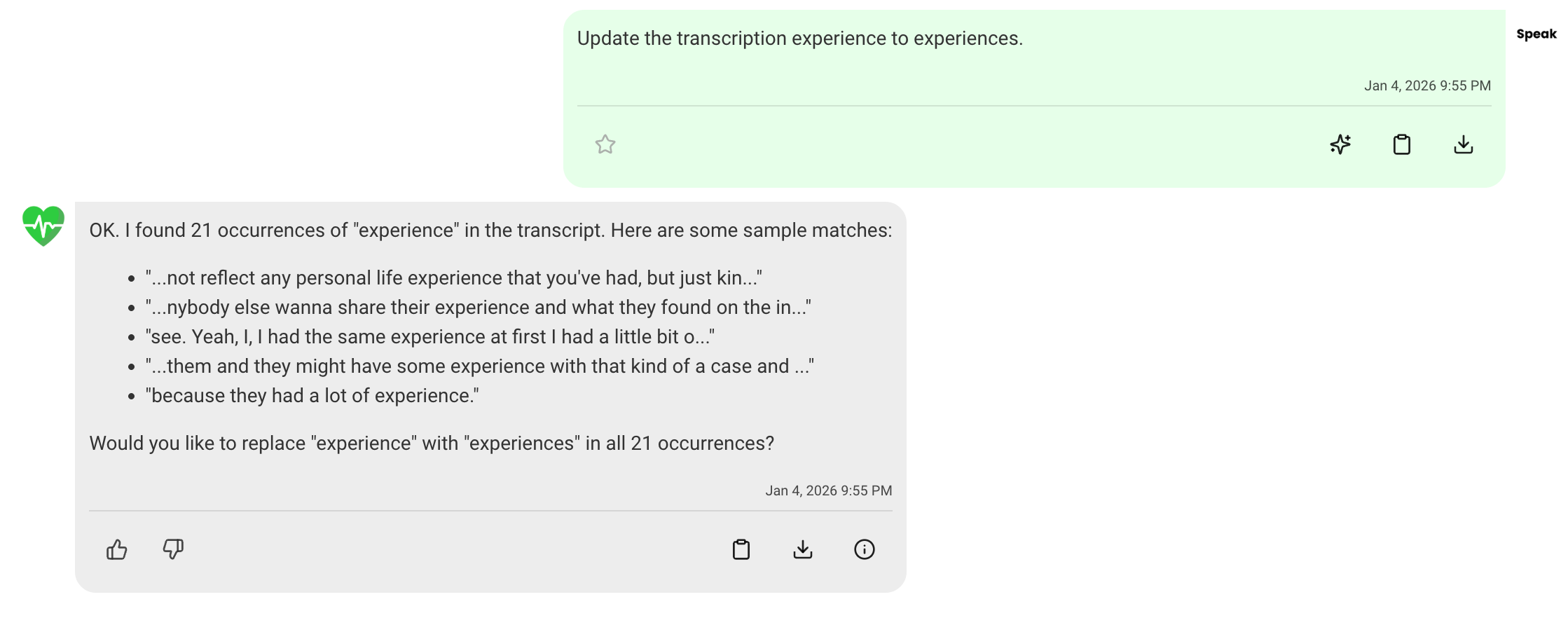
### AI chat actions on transcripts
**Feature** · January 15, 2026
You can now create clips, rename speakers, and edit transcript text directly from the AI chat. Changes apply instantly, you can revert them with revisions, and you can export to Word, PDF, and TXT.
[Open Chat →](https://app.speakai.co/chat/history)
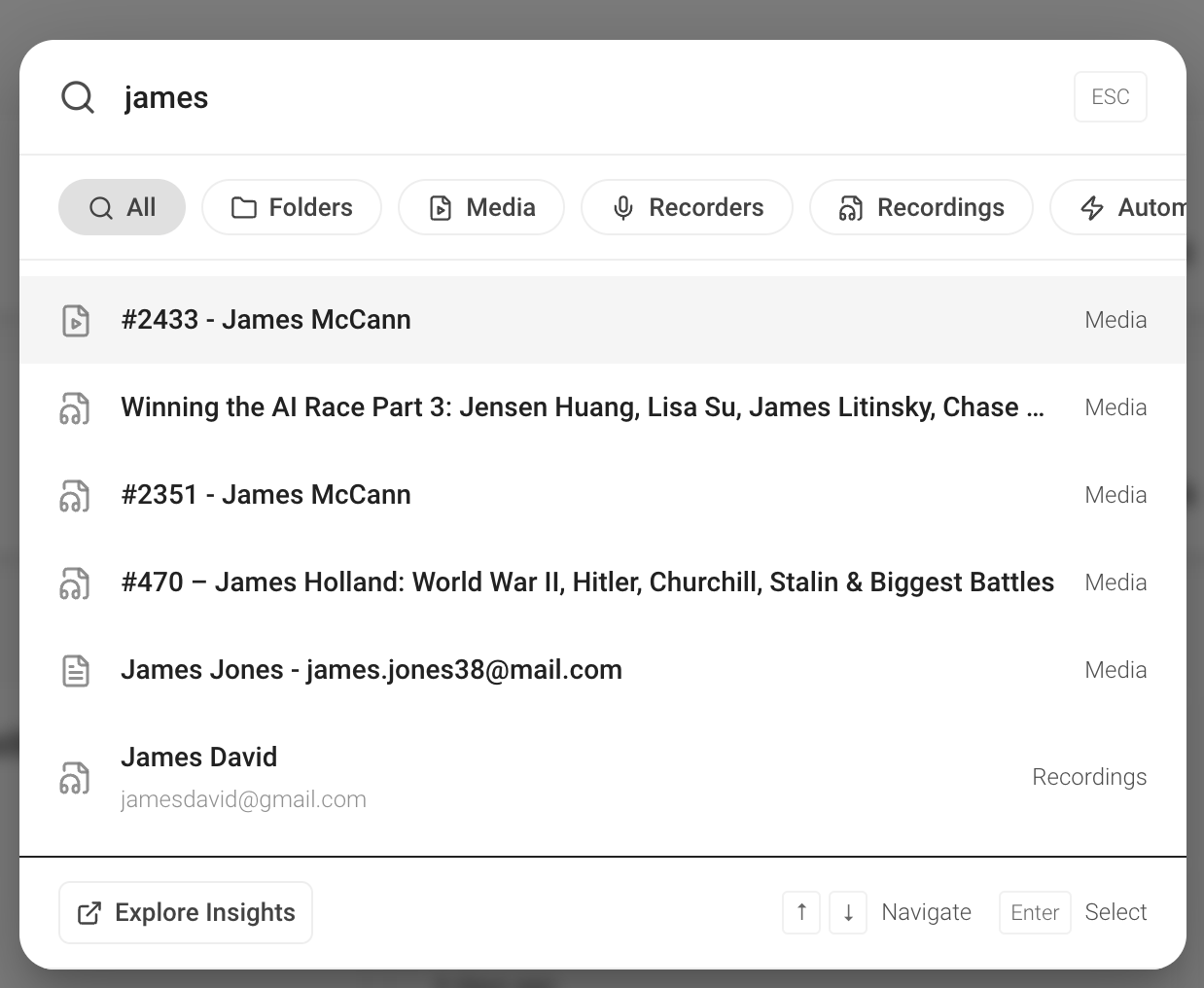
### Intelligent account search
**Feature** · January 15, 2026
The search in the top left is improved. You can filter results by data type and analyze your data with filters that are ready to use.
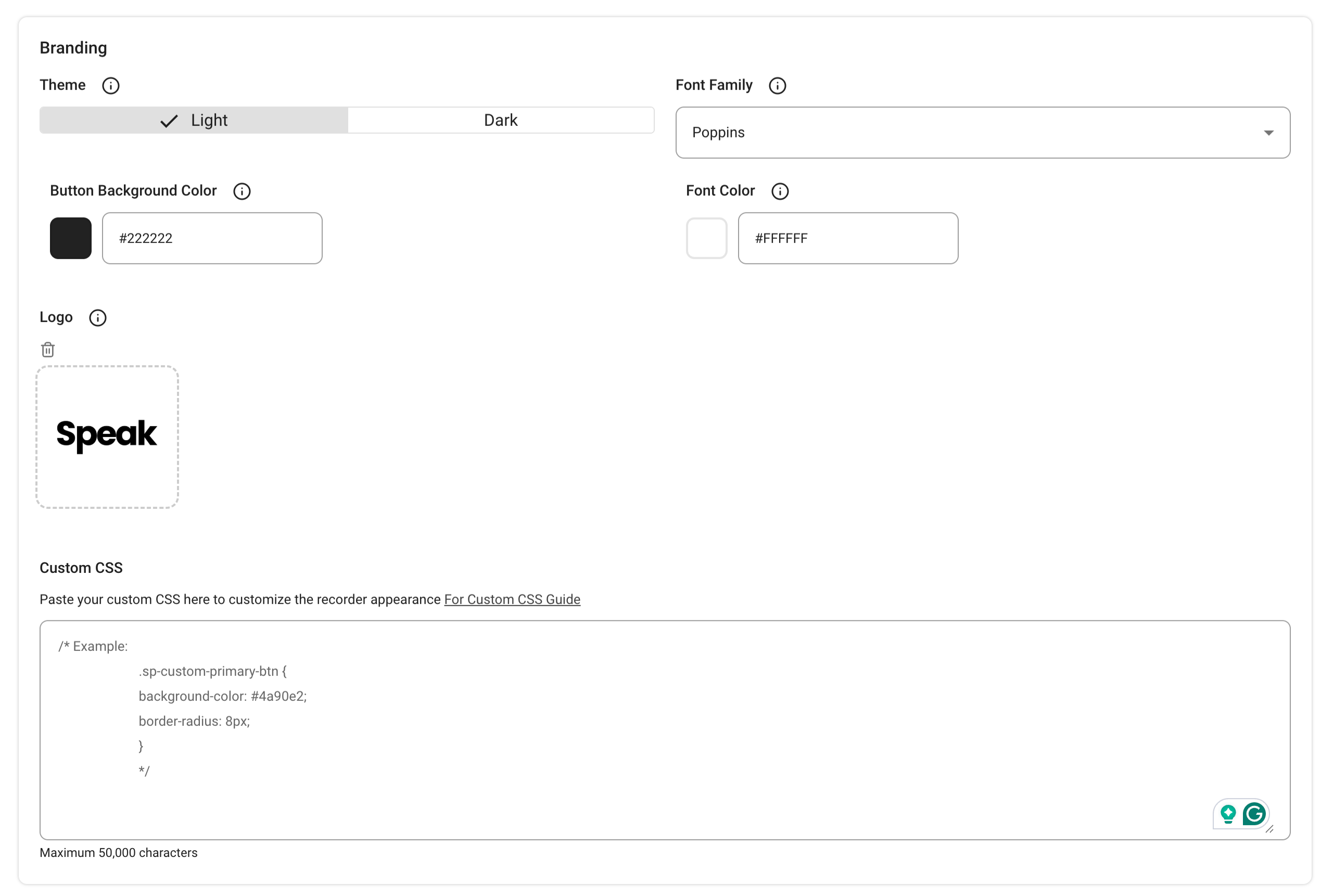
### Custom CSS branding for surveys
**Feature** · January 15, 2026
Surveys now support custom CSS. You can style each survey on its own or apply the branding across your whole account.
[Open Surveys →](https://app.speakai.co/recorder)
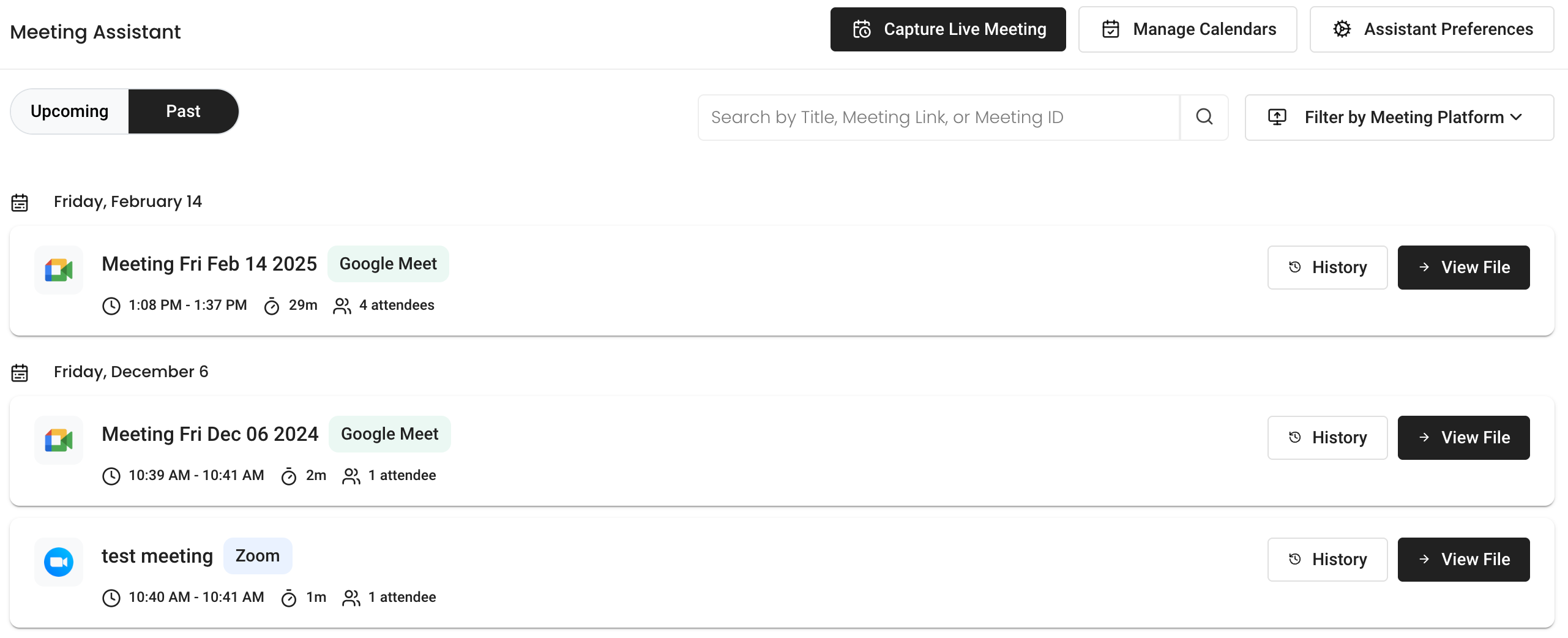
### Better meeting assistant experience
**Improvement** · January 15, 2026
The meeting assistant has a cleaner interface where you can see past and upcoming meetings. It also handles timeouts during meetings more smartly and can detect other bots to decide whether to stay or leave.
[Open Meeting Assistant →](https://app.speakai.co/meeting-assistant)
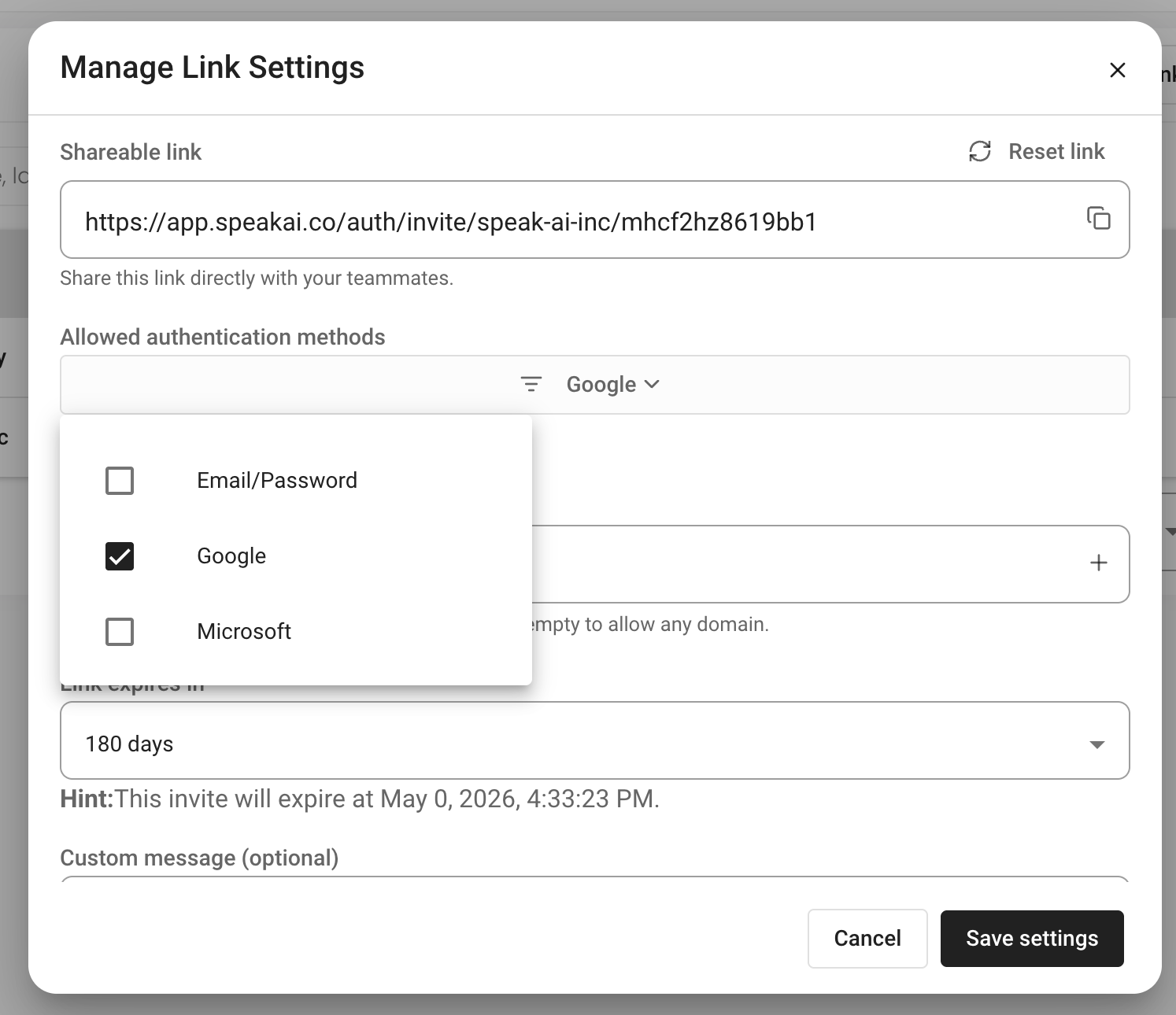
### SSO team invite links
**Feature** · January 15, 2026
You can invite teammates with a shareable link and require team members to register through SSO.
[Open Team →](https://app.speakai.co/team)
### Pay as you go media retention
**Improvement** · January 15, 2026
Media now stays live for 30 days and you get a reminder before files are archived. Subscribing to a plan keeps files live.
### AI powered data extraction fields
**Feature** · January 15, 2026
You can now set field properties that tell the AI exactly what information to pull from each recording. Speak fills those fields automatically across your media and automations.
[Open Analyze Data →](https://app.speakai.co/explore)
### Keyword alerts on transcripts
**Feature** · January 15, 2026
Set up alerts that fire when chosen keywords appear in a transcript. Speak can notify you or start an automation the moment those words are detected.
[Open Automations →](https://app.speakai.co/automations)
Source: https://docs.speakai.co/changelog/2026/index.mdx