---
title: "Speak AI changelog: every product update shipped in 2023"
description: "Every product update Speak AI shipped in 2023: 31 updates from January through September, covering new features, fixes, and improvements to the product."
---
> Documentation Index
> Fetch the complete documentation index at: https://docs.speakai.co/llms.txt
> Use this file to discover all available pages before exploring further.
# Speak AI changelog: every product update shipped in 2023
[Back to all changelog years](/changelog/)
Speak AI shipped 31 updates in 2023, across 7 months. Each entry links to the part of the app it changed.
## September 2023
### Google and Outlook calendar sync
**Feature** · September 15, 2023
You can now sync your Google or Microsoft Outlook Calendar so the Meeting Assistant automatically joins your scheduled calls. Preferences let you choose which events to join, which folder the files go to, who to share the player with, and the assistant name and image.
### Custom assistant templates
**Feature** · September 15, 2023
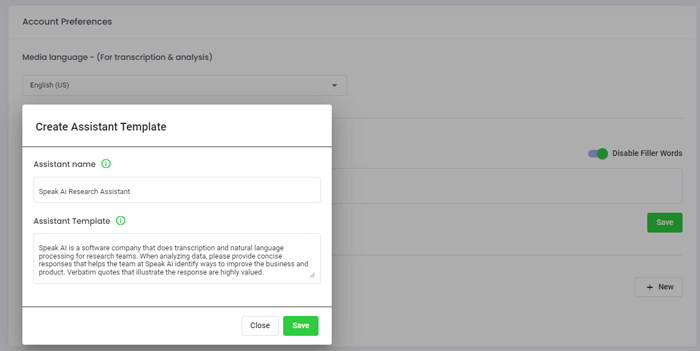
You can create your own custom Assistant templates in Account Preferences that set context for higher quality and more consistent outputs. You can reuse them in any manual or automated Magic Prompt and make several for different use cases.
### Filter out speakers in Magic Prompts
**Feature** · September 15, 2023
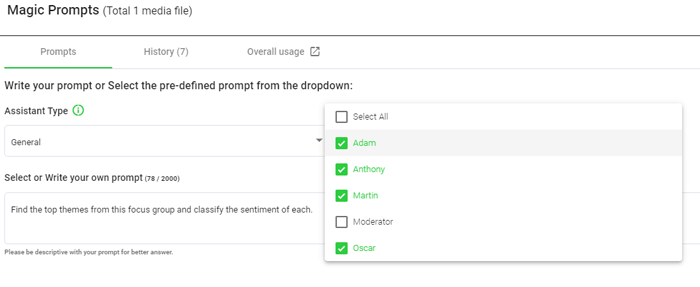
You can filter out speakers such as the moderator, interviewer, sales reps or clients when running Magic Prompts analysis. You can also filter tags and speakers at the folder level.
### Reanalyze media at file and folder levels
**Feature** · September 15, 2023
You can reanalyze media at both the individual file and the folder level. You choose whether to reanalyze insights, sentiment, filler words, or everything at once.
### Remove filler words
**Improvement** · September 15, 2023
You can remove filler words from your data for cleaner transcription and analysis.
### Remarks and prompts in shared libraries
**Improvement** · September 15, 2023
You can easily add remarks and Magic Prompt capabilities to your Shareable Media Libraries.
### Better language model management
**Improvement** · September 15, 2023
Speak now manages large language models behind the scenes to give higher quality outputs for different use cases.
### Better white label player and recorder
**Improvement** · September 15, 2023
White labelling of the embeddable media player and recorder is easier to manage.
### Microsoft single sign on
**Feature** · September 15, 2023
You can now sign in to Speak with Microsoft Single Sign On.
## August 2023
### Speak AI Meeting Assistant now live
**Feature** · August 15, 2023
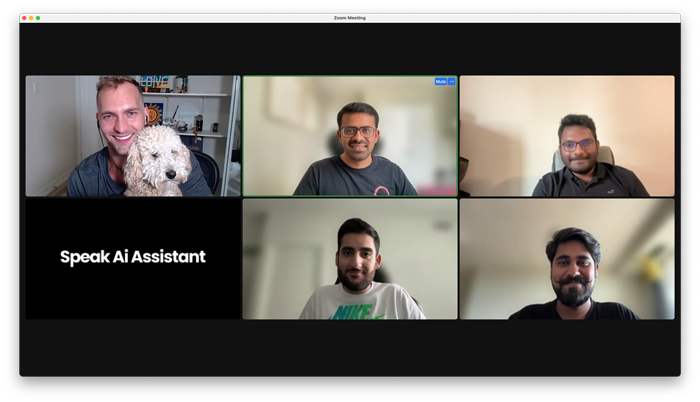
The Speak AI Meeting Assistant is now live and free. It automatically joins your meetings and records, transcribes and analyzes them. It works on Zoom, Microsoft Teams, Google Meet and Webex, and you add it by pasting your meeting link in the app.
### Customize your Meeting Assistant
**Improvement** · August 15, 2023
You can customize your Meeting Assistant name and image for personal and professional branding when it joins your calls. This is available as a premium add on.
## June 2023
### Speak Automation is now live
**Feature** · June 15, 2023
Speak Automation is now live. You can build an automation with a folder trigger that fires when a new file is analyzed and a Magic Prompt action that runs a preset prompt automatically, then get notified when the response is ready.
### Transcript editor improvements
**Improvement** · June 15, 2023
The transcript editor gets improvements.
### Better document uploading
**Improvement** · June 15, 2023
Document uploading is better.
### Improved live recording
**Improvement** · June 15, 2023
Live recording is improved.
## April 2023
### Thirty nine new languages
**Feature** · April 15, 2023
Speak adds 39 new languages, bringing the total to 64 languages available for transcription and analysis.
### Automatic embeddings for your data
**Feature** · April 15, 2023
Speak now automatically creates embeddings so you can query large data sets past model character limits, get faster and cheaper responses, and see the original sources with links to the exact moments. You can also share these knowledge bases through Shareable Media Libraries with your own branding.

### Magic Prompt response Zapier trigger
**Feature** · April 15, 2023
A new Speak Magic Prompts Response trigger in Zapier lets you automatically send your prompt responses to more than 5,000 connected platforms, such as email, YouTube or your CRM.
## March 2023
### Analyze many files with Magic Prompts
**Feature** · March 15, 2023
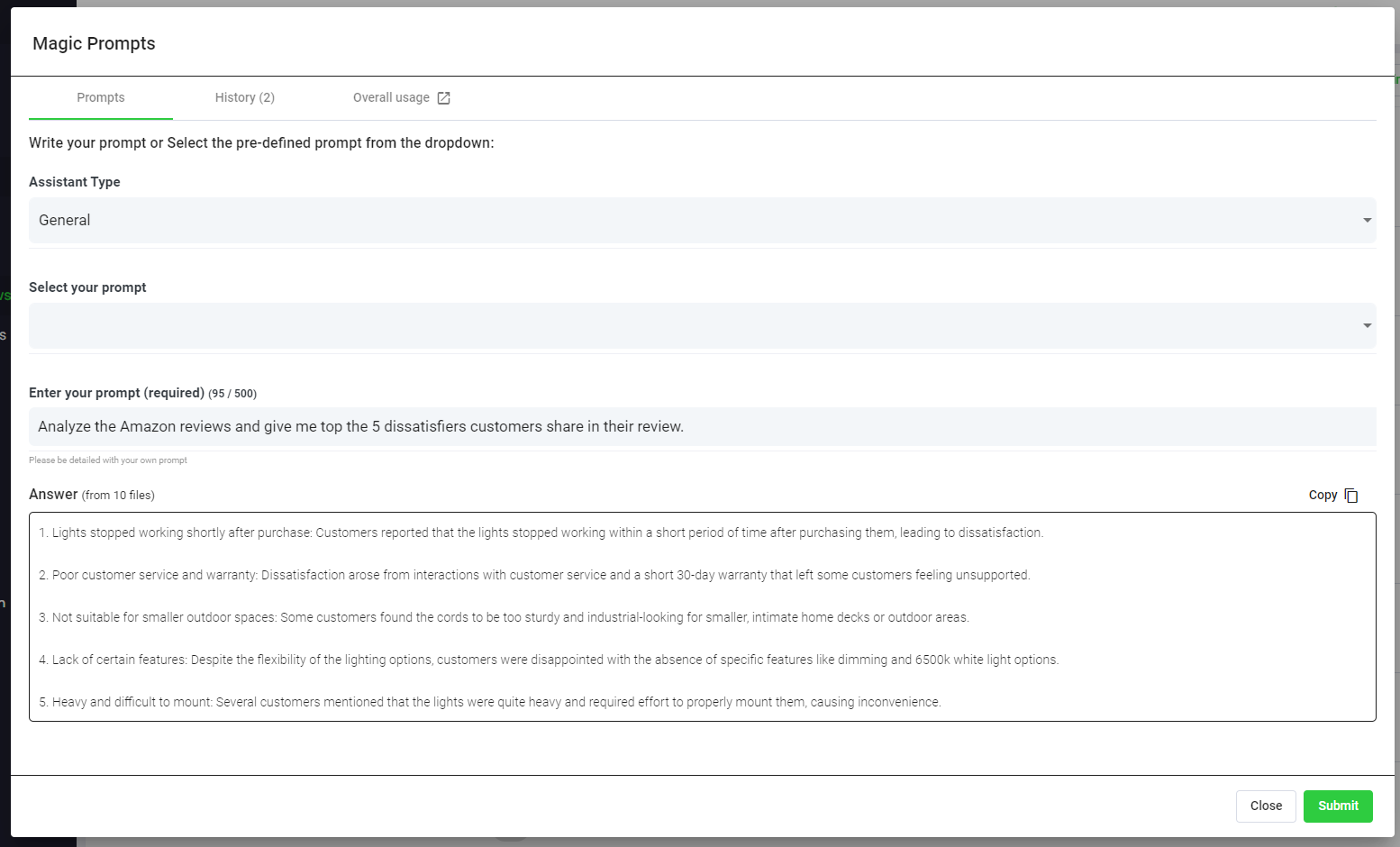
You can now analyze many files at once with Speak Magic Prompts. Add the files to a folder, select Prompts, then choose a suggested or custom prompt to get one answer across all the data.
### Much higher Magic Prompt character limit
**Improvement** · March 15, 2023
Speak Magic Prompts now analyzes up to 60,000 characters, roughly 25,000 words, at once. The previous limit was 4,000 characters.
### Choose your Magic Prompt assistant type
**Feature** · March 15, 2023
You can choose an assistant type of General, Researcher or Marketer. Each one sets context for the prompt engine so you get more concise and relevant outputs for your role.
## February 2023
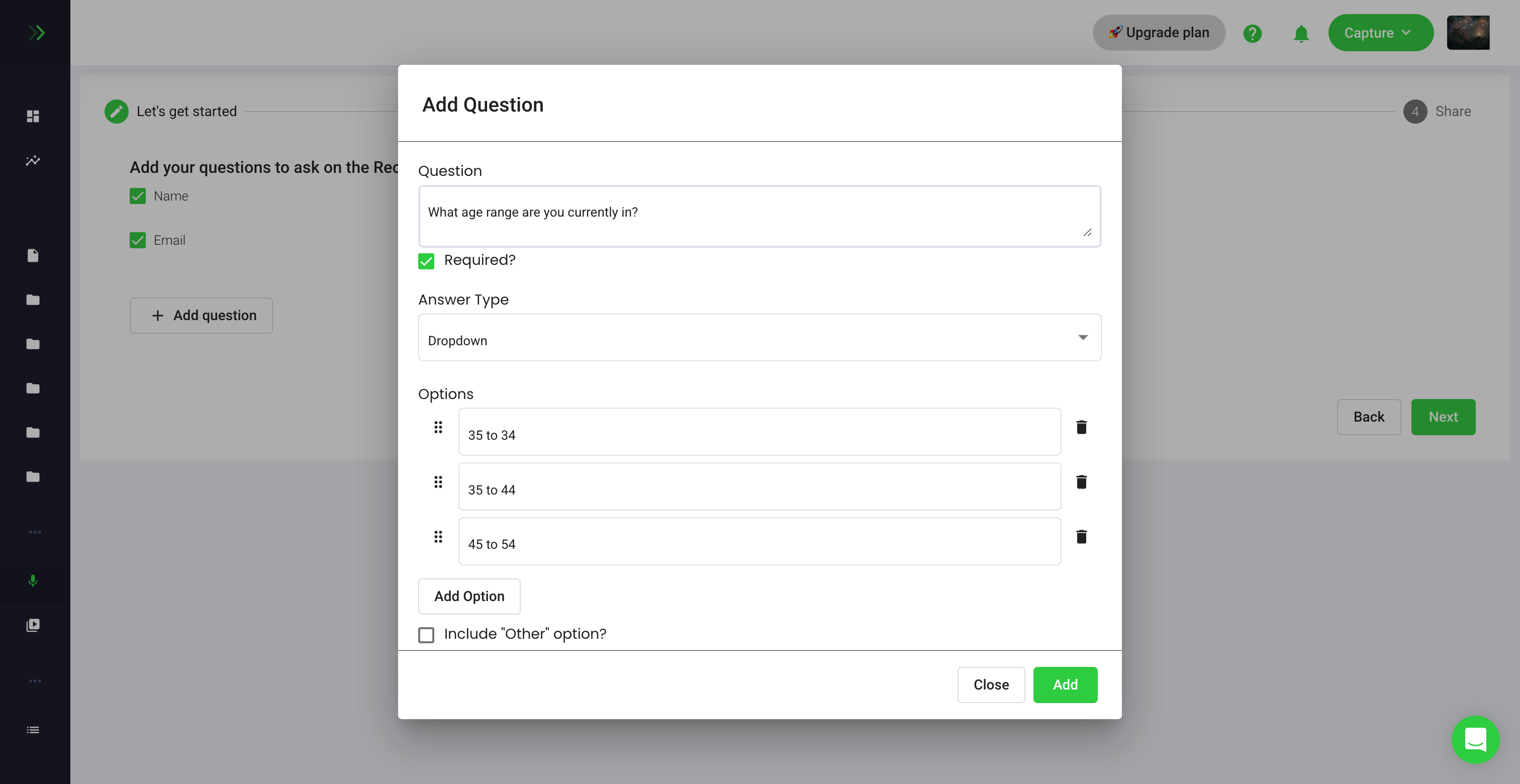
### Embeddable recorder question types
**Feature** · February 15, 2023
The embeddable recorder now supports many question types such as checkboxes, drop downs, dates and numbers. This lets you collect both qualitative and quantitative data from almost anywhere.
### Shareable media library filters
**Feature** · February 15, 2023
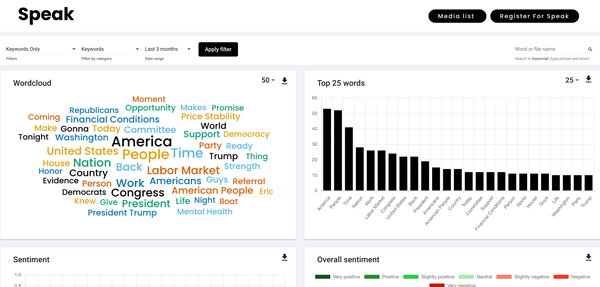
You can now pass the data filters you create in your account through your Shareable Media Libraries. This lets you curate insights for clients and teams so they can instantly derive value from the data.
### WebVTT to text converter tool
**Feature** · February 15, 2023
A new WebVTT to Text Converter tool cleans WebVTT files that contain timestamps and sentence numbers so you can import and analyze them cleanly in Speak.
### Recorder API updates
**Improvement** · February 15, 2023
Recorder API updates make recorders easier to create and update.
### Better transcript find and replace
**Improvement** · February 15, 2023
The transcript editor experience is improved with better find and replace.
## January 2023
### Lower transcription and analysis pricing
**Improvement** · January 15, 2023
Speak permanently lowers transcription and analysis pricing from ten cents per minute to six cents per minute, a 40 percent reduction. Customers transcribing over 100 hours per month can ask about bigger discounts.

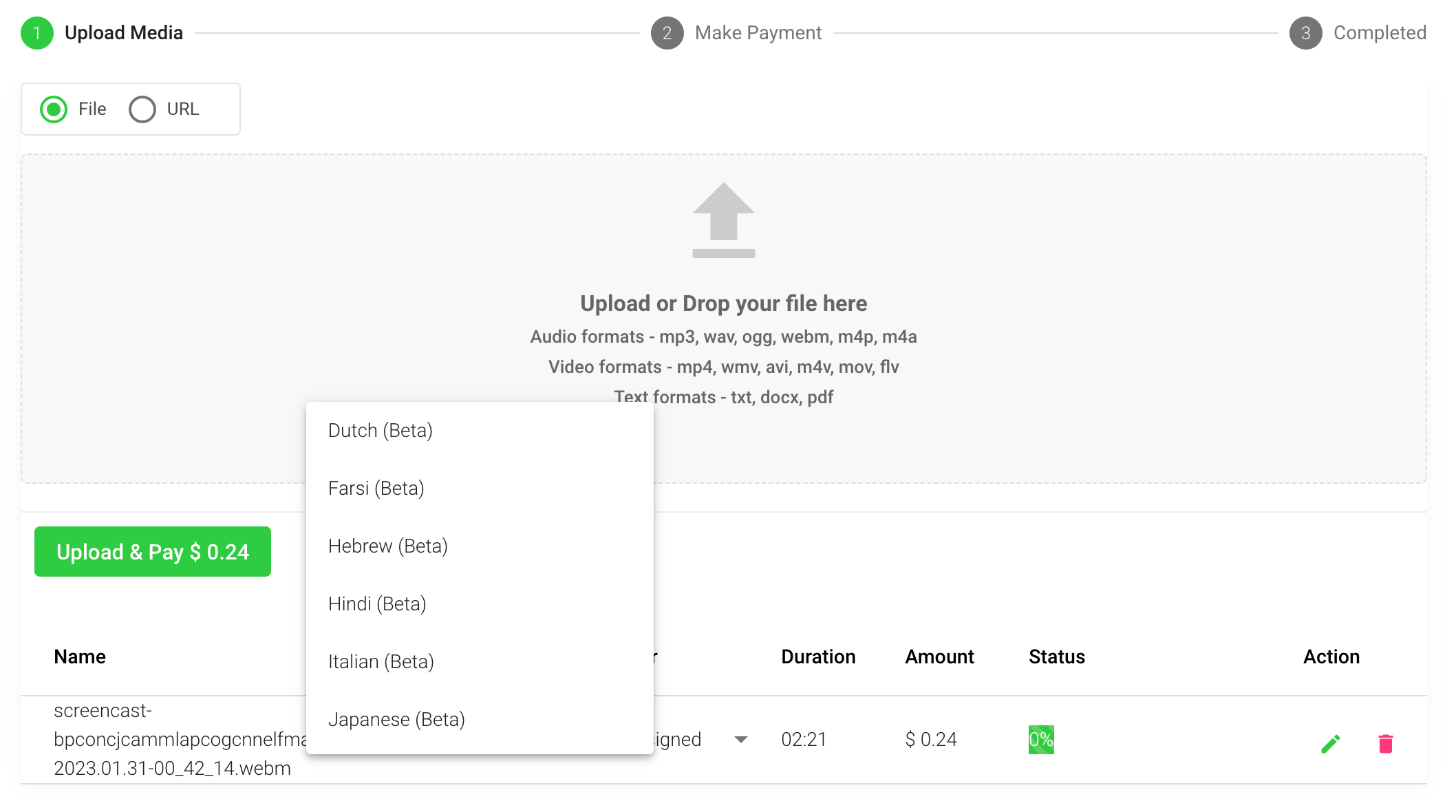
### Twenty new transcription languages
**Feature** · January 15, 2023
Speak adds 20 new transcription and analysis languages, bringing the total to 25 languages you can use across the software and APIs.
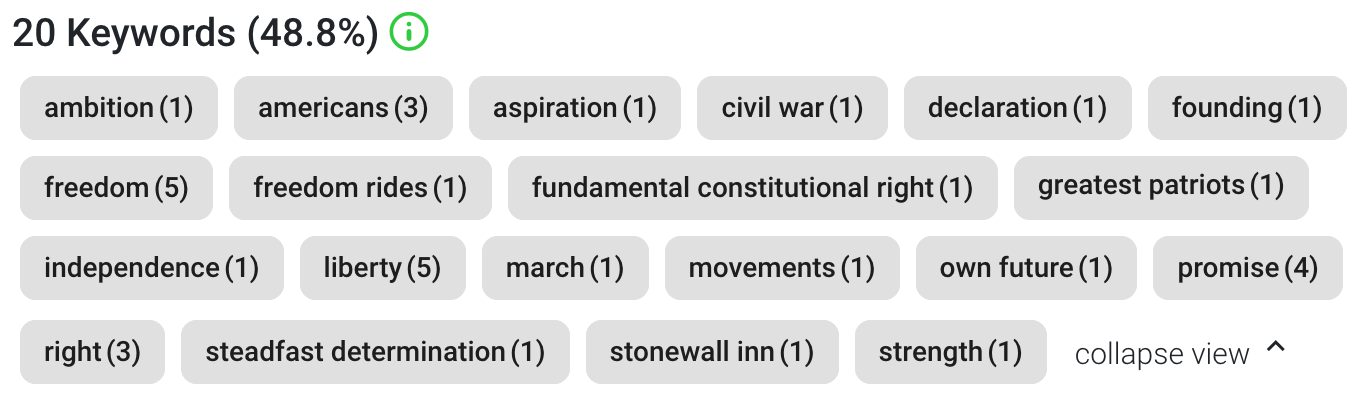
### Improved keyword extraction
**Improvement** · January 15, 2023
Keyword extraction now works the same way across audio, video and text. The improved algorithm detects longer phrases like fundamental constitutional right, adding more context to your analysis.
### Recorder minimum and maximum duration
**Feature** · January 15, 2023
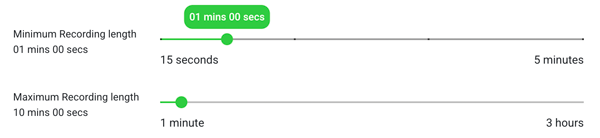
You can now set a minimum and maximum recording length on your embeddable recorders so people give enough feedback without recording too much.
### Explore insights button on recorder submissions
**Improvement** · January 15, 2023
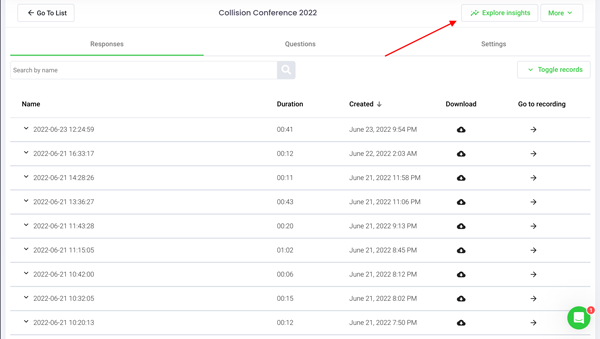
A new Explore Insights button sits at the top right of your recorder submissions so you can instantly analyze the responses coming in.
Source: https://docs.speakai.co/changelog/2023/index.mdx